To use ChatGPT for a cover letter: paste your resume plus the full job description plus two or three quantified wins, ask for a ~300-word tailored draft in a specific tone, then edit out the AI tells. The first draft is a starting point, never the finished product.
Yes, you can use ChatGPT to write a cover letter. The problem is that a one-line prompt gives you generic, robotic slop that recruiters have read a hundred times this week. The fix isn’t to avoid AI. It’s to use it well.
Here’s the full workflow, copy-paste ChatGPT prompts, how to actually feed it your information, and the exact list of “AI tells” to strip out so your letter reads like a real person wrote it. (Worried about getting caught? That’s a separate question. See can employers tell if you used AI. This post is about the craft.)
The Short Version
- Vague in, generic out. Feed AI your resume, the full job description, and real achievements.
- Use AI to draft, then edit heavily: cut clichés, add specifics, name the company.
- Kill the tells: “I am writing to express my interest,” “proven track record,” “results-driven.”
- Aim for 250-400 words, and never let AI invent facts.
Prefer to skip the prompt engineering? Our free Cover Letter Generator is the zero-prompt alternative: it builds a tailored draft from your real profile data and the job description, so you go straight to personalizing instead of wrangling prompts. The manual ChatGPT route below still works great if you want full control.
The Right Workflow: Draft, Tighten, Voice
The mistake is treating ChatGPT’s first draft as the finished product. It’s a starting point. Here’s the workflow:
- 1
Gather your raw materials
Your real resume or LinkedIn text, the full job description, the company name plus one specific reason you want them, and 2-3 achievements with numbers.
- 2
Draft
Feed it all of that and ask for a tailored draft with a tone and a ~250-400 word limit.
- 3
Tighten
A second prompt to cut filler and generic phrasing.
- 4
Voice
A third prompt plus manual edits to add one specific story, the company name, and your own phrasing.
- 5
Fact-check
Verify every claim. ChatGPT will invent titles, dates, and metrics without blinking.
Run the same loop on the resume you attach, or tailor your resume to the job in one pass so the two documents agree.
The teaching point: the value is in the editing, not the generation. A vague prompt produces a bland draft. The real work is making it specifically yours.
How to Feed ChatGPT Your Resume and Job Info
The output is only as good as the input. Here’s how to actually get your information into the chat.
Upload a file (ChatGPT Plus). On Plus, click the paperclip icon and attach your resume as a PDF or DOCX. Then type “use this resume to write a cover letter for the role below” and paste the job description. File upload keeps your formatting intact and saves a lot of copy-pasting.
Paste the text (free tier). The free version can’t read most file uploads reliably, so copy your resume text straight into the chat. Plain text is fine. The model doesn’t care about formatting, only content.
Use your LinkedIn instead of a resume. No polished resume handy? Open your LinkedIn profile, select everything from your headline down through experience, and paste that. It works as raw material just as well.
Always paste the full job description. This is the step people skip. The model can only tailor to what it can see, so paste the entire posting, not a summary. The requirements section is where your keywords live.
Free vs Plus: which do you need?
For a single letter, the free tier produces a perfectly usable first draft. Plus (with the newer GPT models) follows length and tone instructions more closely, accepts file uploads, and drifts toward clichés less often. If you’re applying to many roles, the consistency is worth it. Or skip the trade-off entirely with a tool built for the job.
If you keep your details in one place, you stop re-pasting context for every application — you can rewrite your resume with AI that already has your history loaded. More on that below.
Why Raw ChatGPT Falls Short
Be clear-eyed about the limits before you rely on it:
What raw ChatGPT gets wrong
- It hallucinates. It invents employers, dates, metrics, and certifications you never had.
- It only knows what you paste, so you re-feed your context every single time.
- It converges. Everyone uses the same prompts, so the output looks like everyone else’s.
- It takes 3-4 iterations plus manual editing to get something actually good.
None of that means “don’t use AI.” It means use it with guardrails, then personalize the output — including the email body, where the same blandness shows up. Here’s what to write in an email when sending the finished thing.
Six Copy-Paste ChatGPT Prompts
Swap in the brackets and run them in order: gap, draft, tighten, de-AI.
1. Tailored first draft (the workhorse)
Act as an expert career writer and former hiring manager. You are helping me write a cover letter for the role of [JOB TITLE] at [COMPANY]. Here is the job description: [PASTE FULL JD]. Here is my resume: [PASTE RESUME]. Write a tailored cover letter (~300 words) connecting my real experience to the top 3 requirements in the job description. Highlight these achievements: [ACHIEVEMENT 1 WITH A NUMBER], [ACHIEVEMENT 2 WITH A NUMBER]. Tone: confident and warm, not stiff. Do not invent any facts not in my resume.
The “act as an expert career writer and former hiring manager” line is doing real work. A persona prompt measurably sharpens the output, because the model writes toward what a hiring manager wants to read instead of toward a generic template.
2. Career-changer variant
Write a cover letter for someone moving from [CURRENT FIELD] into [TARGET ROLE]. Emphasize these transferable skills: [SKILL 1], [SKILL 2], shown through [PROJECT]. Explain the pivot in one honest sentence: [WHY]. Tailor it to this job description: [PASTE JD]. Keep it forward-looking and ~275 words. Do not invent employers, titles, or metrics.
3. Tone adjustment
Rewrite this cover letter to sound [warmer / more confident / more formal]. Use stronger action verbs, vary sentence length, and remove anything that sounds corporate or templated. Keep the same facts. [PASTE DRAFT]
4. Shorten and punch up
Cut this cover letter to under 250 words. Lead with the single strongest, most specific result. Remove filler and any sentence that could apply to any company. Keep it punchy. [PASTE DRAFT]
5. Kill the AI tells (the important one)
Edit this cover letter to sound human, not AI-generated. Remove clichés like “I am writing to express my interest,” “proven track record,” “results-driven,” and “passionate about.” Replace generic claims with the specific achievements already in the text. Reference [COMPANY] and [SPECIFIC THING ABOUT THEM] once. Vary sentence length. Don’t add facts I didn’t give you. [PASTE DRAFT]
6. Keyword + opening line combo
From this job description, list the 8 most important keywords: [PASTE JD]. Then write one specific, attention-grabbing opening sentence using my real achievement: [ACHIEVEMENT]. No generic openers.
Prompt 6 makes ChatGPT extract the job’s keywords by hand. If you’d rather not eyeball them, our keyword scanner pulls the exact terms from a job description automatically and our job matcher shows how your resume stacks up against them, the same gap analysis the prompt does manually.
The Reverse Workflow: Write It Yourself, Then Have ChatGPT Critique
Generate-then-edit is the fast route. But there’s a safer, more authentic option that career offices like Boston University’s and editors at The Muse both recommend: write the letter yourself first, then ask ChatGPT to critique it.
This keeps your real voice on the page from the start. The model never gets a chance to flatten you into its default cadence, because it’s reacting to your words instead of producing its own. You also avoid the AI-detection angle entirely, since the bones of the letter are genuinely yours.
The critique prompt
Act as a former hiring manager who has read thousands of cover letters. Critique the letter below for clichés, vague or unsupported claims, weak openers, and anything that could apply to any company. Point to specific lines and suggest tighter rewrites, but keep all my facts and my voice. Then rate how memorable the opening is from 1 to 10. [PASTE YOUR DRAFT]
You can run the same idea on the resume itself and get an AI resume roast before the letter goes out. Use this when the role really matters, or when you already write well and just want a sharper second pair of eyes. The generate-then-edit prompts above are better when you’re staring at a blank page.
How to Kill the “AI Tells”
This is what separates a letter that reads human from one that screams ChatGPT:
| AI tell ❌ | Human fix ✅ |
|---|---|
| I am writing to express my interest in… | Open with a specific result or a real reason you want this company |
| Proven track record / results-driven / team player | One quantified achievement |
| I believe I would be a great fit | Show the fit with evidence |
| Your esteemed organization | Name the company and a specific thing it does |
| In a fast-paced world… | Cut it entirely |
The single fastest “this isn’t mass-AI” signal: name the company and one real detail about it. Lead with a metric, not a sentiment. Then read the whole thing aloud. Anything that could apply to any company, rewrite or cut.
How to Add Company Research to Your AI Cover Letter
Generic AI letters skip the one thing that proves you’re not mass-applying: specific knowledge of the company. Fix that with a quick research pass before you draft.
Spend five minutes on the company’s About page, a recent product launch, or a leadership post on LinkedIn. Find one concrete detail you genuinely react to. Then feed it in: “Reference that [COMPANY] recently [SPECIFIC THING], and connect it to why this role appeals to me.” One sincere, specific sentence about the company does more than a paragraph of flattery, and it’s the line no other applicant’s AI draft will have.
When AI Cover Letters Backfire
AI cover-letter use is mainstream now, but submitting obviously AI-generated output is a real risk. The data backs both halves of that statement.
of hiring managers would reject an AI-generated application
From a survey of 600 U.S. hiring managers. The flip side: 63% view AI-assisted cover letters favorably when they are personalized, which is exactly the point.
Source: TopResume, May 2025
So the penalty is real but narrow. It lands on letters that read like raw, untouched AI, not on AI assistance itself. The lesson isn’t “don’t use AI.” It’s “don’t submit raw AI.” Personalize it with your achievements and the company’s name, and that risk mostly disappears. For the deeper detection question, see whether employers can tell if you used AI, and if you’re rethinking the whole document, our take on whether cover letters are dead in 2026.
The Faster Way
Everything above works. It just takes three or four prompts and careful editing every single time. If you’d rather skip the prompt-wrangling, a purpose-built tool does it for you.
Our Cover Letter Generator builds a tailored draft from your real profile data and the job description, applies the right length and tone automatically, and gives you something to personalize instead of a blank prompt to engineer. It’s still your achievements, and you should still add your voice. It just removes the chore.
Here’s the bridge that ChatGPT can’t match. The generator pulls from the profile you build once in the AI resume builder. Once your real experience lives in your account, you generate a tailored letter per job in one click, with no re-pasting your resume and context every time, which is the exact “it only knows what you paste” limitation raw ChatGPT has. (Want the AI version for your resume too? See our ChatGPT resume prompts and how to tailor your resume with AI.)
Related Cover Letter Guides
A cover letter is one piece of the application. These cover the rest:
- Cover letter with no experience: how to write a strong letter when your resume is thin.
- How to address a cover letter: get the greeting right when you don’t know the hiring manager’s name.
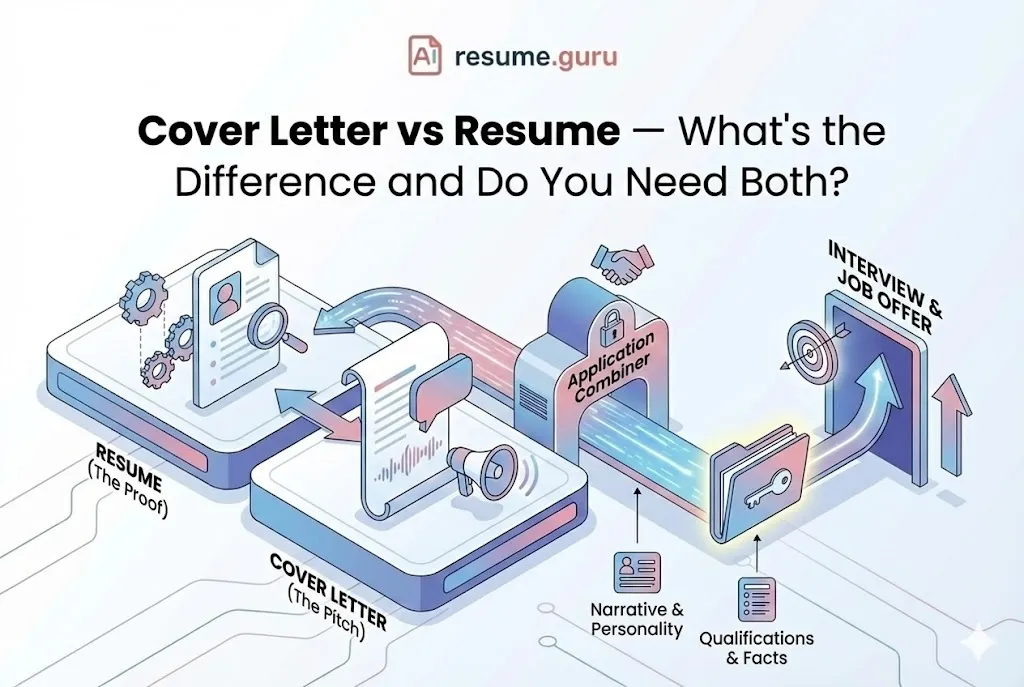
- Cover letter vs resume: what each document should do, so you don’t repeat yourself.
- Tailoring your resume to the job description: the same gap-matching logic, applied to your resume.
The Bottom Line
AI is a genuinely good cover-letter assistant if you treat it like one. Feed it real, specific inputs, draft, then ruthlessly edit out the generic phrasing and add what only you know. Do that, and “AI-written” becomes indistinguishable from “well-written.”
Skip the prompt-wrangling
Don't want to copy-paste prompts and edit four times? Our free Cover Letter Generator drafts a tailored letter from your real experience, ready for you to personalize.
Try the Cover Letter GeneratorRelated Resources
- Cover Letter Generator — Skip the prompt-wrangling, built from your real data
- Can Employers Tell If You Used AI? — The honest answer on detection
- How Long Should a Cover Letter Be? — Get the length right
- ChatGPT Resume Prompts — AI prompts for your resume
Frequently Asked Questions
How do I use ChatGPT to write a cover letter?
Paste your resume, the full job description, the company name, and two or three quantified achievements. Ask for a ~300-word tailored draft in a specific tone, then edit heavily: cut clichés, add specifics, and personalize. The value is in the editing, not the first draft.
What's the best ChatGPT prompt for a cover letter for a specific job?
The best prompt has five ingredients: the role and company, the full job description, your real resume text, two or three quantified achievements, and a tone instruction. Add 'do not invent any facts not in my resume' to prevent hallucination, and name one real detail about the company.
How do I upload my resume to ChatGPT to write a cover letter?
On ChatGPT Plus you can upload a PDF or DOCX with the paperclip icon and say 'use this resume.' On the free tier, paste the text directly instead. Either way also paste the full job description, since the model only works with what you give it in that chat.
Is the free version of ChatGPT good enough for cover letters or do I need Plus?
The free tier is fine for a solid first draft. Plus (with the newer GPT models) tends to follow length and tone instructions more reliably, handles file uploads, and converges less on clichés. For one letter, free works. For volume and consistency, Plus or a purpose-built generator saves time.
Can I use AI to write a cover letter?
Yes, AI cover letter use is now common and mostly accepted. But don't submit raw output. Surveys show a notable share of hiring managers reject obviously AI-generated letters, while most view AI-assisted letters favorably when personalized. Draft with AI, then add your real achievements and the company's name.
How do I make ChatGPT write a cover letter that sounds like me?
Cut telltale phrases ('I am writing to express my interest,' 'proven track record,' 'results-driven'), replace generic claims with quantified achievements, name the company and one real detail, vary sentence length, and read it aloud. Paste two of your real emails so the model can match your voice.
How do I get ChatGPT to critique my cover letter?
Write your own draft first, then paste it with: 'Act as a former hiring manager. Critique this cover letter for clichés, vague claims, and weak openers. Suggest specific rewrites but keep my facts.' This reverse workflow keeps your authentic voice while ChatGPT sharpens it.
Will recruiters reject my cover letter if I use ChatGPT?
Not for using ChatGPT itself. They reject letters that read generic, vague, or interchangeable. A draft you personalized with real details, numbers, and the company's name is indistinguishable from a hand-written one. See our guide on whether employers can tell if you used AI.
Why do AI cover letters all sound the same?
Because everyone uses the same default prompts, so the model produces the same default output: the same openers, the same buzzwords. To stand out, give the AI your specific achievements and the company's details, then edit out the generic phrasing it defaults to.
How long should an AI-written cover letter be?
The same as any cover letter: about 250 to 400 words, three to four paragraphs, on one page. Tell the AI the target length in your prompt, since it tends to over-write. See our cover letter length guide for the full breakdown.
Put this into practice
You have the theory. These take a few minutes and work on the resume you already have.