You used ChatGPT to help with your resume or cover letter. It came out clean. And now you’re lying awake wondering: can they tell? Will I get rejected for it?
Here’s the honest answer: often, yes. Most recruiters can’t prove you used AI, but 88% of hiring managers now believe they can tell when applicants use AI (TopResume, 2026), and a growing share will hold generic AI content against you. The catch is what they’re actually catching: not “AI,” but lazy, generic, un-personalized writing. Use AI to draft from your real experience and it stays invisible. Paste raw output and it stands out.
This post covers what gives AI away, what the 2026 data really says about whether ATS and recruiters can detect AI-generated resumes, whether you have to disclose it, and how to make an AI resume sound human.
The Short Version
- They usually can’t prove it, but 88% of hiring managers believe they can spot AI, and many will penalize it.
- What gets caught is generic, un-personalized writing, not AI itself.
- AI detectors are unreliable, but a rising minority of employers (about 43% of large ones) now add detection tools outside the core ATS.
- The fix: use AI to assist, feed it your real details, and edit heavily.
You’re Not Alone (Most People Use AI Now)
You’re in the majority. Roughly 74% of US job seekers use AI in their search (Greenhouse, 2025), and cover letters are the most common use case. Using AI to help write isn’t a rare offense. The question isn’t whether to use it. It’s how.
So if you’re searching “what percentage of job seekers use AI on resumes,” the answer is most of them. That also means recruiters have seen a lot of AI output, which is exactly why they’ve gotten faster at spotting the lazy version.
If you’re weighing which AI tool to lean on, comparing against Jobscan is a reasonable place to start.
So, Can They Actually Tell?
Mostly, they think they can, and they’re getting better at it. Surveys find that the vast majority of hiring managers believe they can detect AI-written applications, and detection rates have climbed sharply as AI tools flooded the market.
of hiring managers believe they can tell when applicants use AI
Source: TopResume, 2026
recruiter detection of AI-written applications, H1 2024 to H1 2026
Detection has jumped as recruiters learn the patterns.
Source: Jobscan / WasItAIGenerated, 2026
About a third of hiring managers say they can spot an AI resume in under 20 seconds (TopResume, 2025). That tells you how fast recruiters spot an AI-written resume when the output is generic.
But here’s the important nuance: most of this is self-reported belief, not measured accuracy. They can’t usually prove it. What they’re really reacting to is writing that feels generic or templated, and that’s something you control.
The real cost isn't detection, it's genericness
Recruiters rarely reject you because a tool said “AI.” They reject you because the cover letter could’ve been sent to 500 companies. Fix the genericness and the AI-detection problem mostly disappears.
What Actually Gives It Away
Here’s how recruiters spot AI, almost always manually, not with software:
A quick sanity check helps: score your resume now to catch the generic phrasing before a recruiter does.
AI Tells to Avoid
Cover-letter openings:
- “I am writing to express my interest in…”
- “I am excited to apply for the [position] at [company]”
- “I am confident I would be a great fit”
Buzzword soup:
- “Results-driven professional”
- “Proven track record”
- “Dynamic, fast-paced environment”
- “In today’s fast-paced world…”
Instant credibility-killers:
- Leftover placeholders like [Company Name] or [Your Name]
- “As an AI language model…”
- Hallucinated metrics or facts you can’t back up
The single most common manual method is mismatch detection. Recruiters compare your cover letter against your resume and LinkedIn, and against how you talk in the interview. If the polished letter doesn’t sound like the person they’re talking to, that’s the tell. These overlap heavily with classic resume red flags that get applications cut.
The root problem is almost always buzzword soup with no specifics. The fastest way to fix that is to swap vague filler for the exact language a job posting uses. Paste a description into the free keyword scanner and it shows which role-specific terms you’re missing, so your writing reads targeted instead of template-generic.
Can ATS Detect an AI-Generated Resume?
This is where the reassurance needs an asterisk. The applicant tracking system itself almost never runs AI detection, but the broader screening stack increasingly does.
The safest use of AI is editing rather than generating — rewrite your resume with AI from your own specifics instead of from a blank page.
- The core ATS doesn’t detect AI. Workday, Greenhouse, and Lever parse your resume for keywords, skills, and experience. They don’t run AI-content detectors. (See how AI screens resumes in 2026.)
- A rising minority of employers bolt on a separate detection layer. Roughly 43% of large employers now use automated AI-detection tools in screening (Jobscan, 2026), often third-party services like Pangram or Originality layered outside the core ATS.
- Detectors themselves are contested. Paid tools claim low false-positive rates, but studies show light editing drops detection sharply, and detectors have documented bias against non-native English writers, one reason serious employers are wary of relying on them.
The honest takeaway
The “the ATS will auto-reject my AI” fear is mostly unfounded for the parsing engine itself. But it’s no longer fully safe to assume no one is checking. A growing share of employers add detection tools, and the durable fix is the same either way: write content specific enough that no detector and no human reads it as generic AI.
Do Employers Use AI Detectors on Cover Letters?
Some do, but most still judge cover letters by eye. AI-generated cover letters are easier to flag than resumes because they carry more giveaway prose: the formulaic opening, the over-polished tone, the “I am excited to leverage my skills” cadence.
The same logic applies to the resume itself: tailor your resume to the job with real details and the generic tells disappear.
of hiring managers say they can identify AI-generated cover letters
54% view AI-written cover letters negatively.
Source: TopResume, 2026
So are AI cover letters detectable by recruiters? Frequently, yes, but the same rule applies. A cover letter built from a specific story (a real project, a real reason you want this company) reads as human whether or not AI helped draft it. For the full method, see our guide on writing an AI cover letter the right way.
Is It Even Penalized?
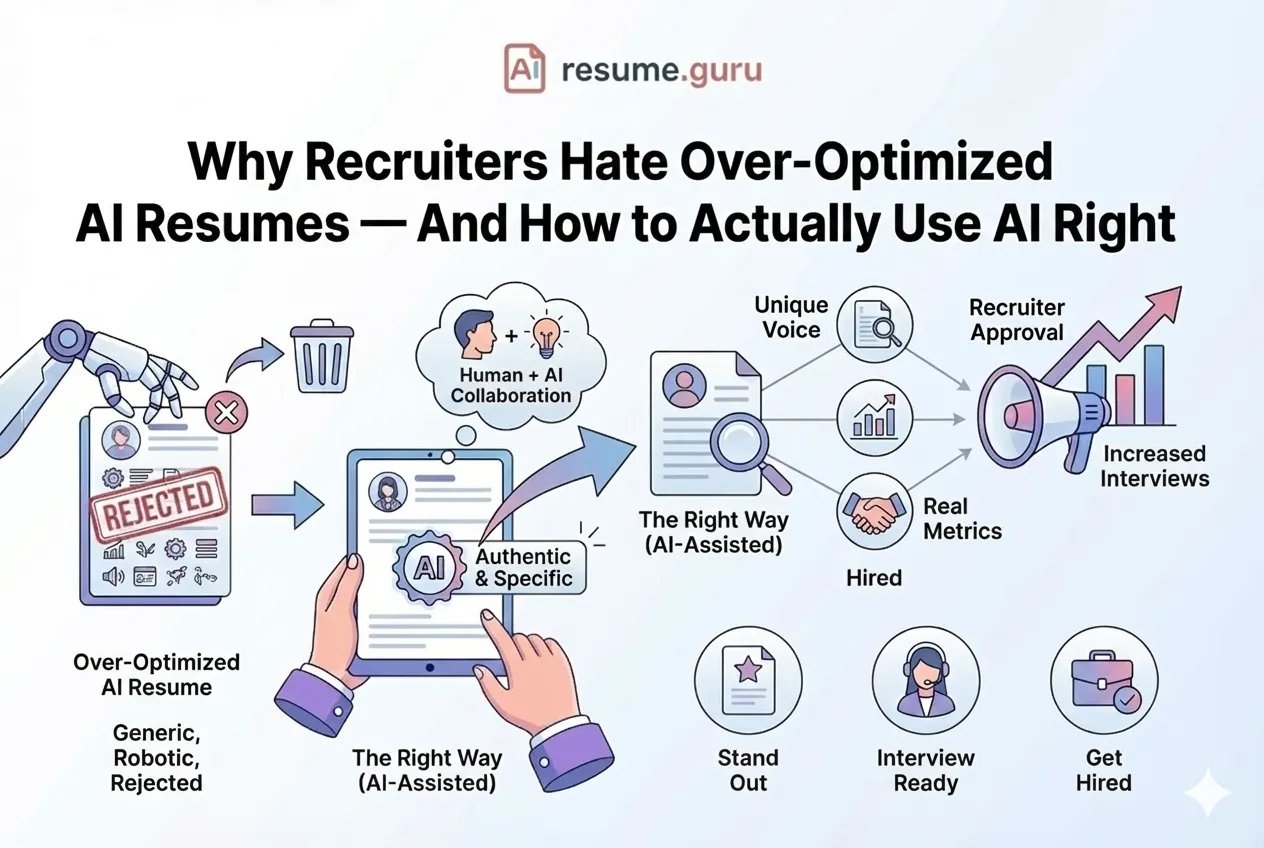
It’s a spectrum, not a yes/no. Thoughtful AI assistance (drafting, proofreading) is widely accepted, and many recruiters view AI-assisted cover letters favorably when they’re customized with real achievements. What recruiters reject is unpersonalized AI material.
of hiring managers auto-dismiss resumes they suspect are AI-generated
Source: Jobscan, 2026
say unpersonalized AI resumes often lead to rejection
78% look for personalized details as a signal of genuine fit.
Source: Gem, 2026
The line isn’t “AI vs. no AI.” It’s “personalized vs. generic.” That’s also why mechanically tailoring your resume to each job description does more for you than any detector-dodging trick.
Do You Have to Disclose That You Used AI?
For most applications, no. Using AI to assist your writing is treated like spell-check or a template: you don’t announce it. But 2026 reality has nuance worth knowing.
- Some employers require disclosure. Greenhouse, for example, has rolled out application settings that ask candidates to disclose AI use, and undisclosed use can be grounds for disqualification.
- Some jurisdictions have AI-notice laws. Illinois and NYC have enacted rules around automated employment decisions and AI use in hiring, mostly aimed at employers but signaling a more disclosure-conscious environment.
- When asked, answer honestly. If an application or interview directly asks whether you used AI, say yes and frame it accurately: you used it to draft and organize, then wrote the final version from your own experience.
The safe posture: don’t volunteer it where it isn’t asked, never deny it when it is, and make sure the work is genuinely yours regardless.
How to Make an AI Resume Sound Human
Use AI the way a smart writer would, as an assistant, not a ghostwriter:
- 1
Assist, don't author
Use AI for a first draft, structure, or proofreading, then heavily edit in your own voice.
- 2
Feed it your real data
Give it specific achievements, metrics, and project names so the output is grounded, not generic. The free resume summary tool (/resume-summary) turns your raw details into a tight, specific opener.
- 3
Cut the buzzwords
Replace every 'results-driven professional' with a concrete result. Swapping weak verbs with the free action verbs tool (/action-verbs) instantly de-genericizes a bullet.
- 4
Personalize per job
Name the company, reference the actual posting, and add one specific reason you want this role. The free cover letter generator (/cover-letter) drafts per-job from your details, not a template.
- 5
Read it aloud
If it doesn't sound like you, rewrite it until it does.
This is what “humanizing” should actually mean. The honest goal isn’t to fool GPTZero or Originality with an AI humanizer that paraphrases until a detector shrugs. That’s a losing arms race, and it leaves the writing just as hollow. Real humanizing is personalizing: injecting the specific facts, numbers, and voice only you have. Do that and the question of detection becomes moot, because the content genuinely is you.
For the full playbook, see our AI resume writing tips and the best ChatGPT resume prompts to feed it your real data. Just avoid the keyword-stuffing tricks that backfire in our over-optimized resume guide, and make sure every claim is one you can back with a real number.
The Bottom Line
Can employers tell you used AI? If you paste generic ChatGPT output, increasingly yes, with 88% believing they can spot it and a rising share running detection tools. If you use AI to draft from your real experience and then make it sound like you, almost never. And even if they suspected, personalized, specific content is exactly what they reward.
The problem was never AI. It’s generic AI. Fix that, and you’re fine.
Use AI the right way
Start with a free tool to fix one section, then let the AI resume builder draft your whole resume from your real experience while you control every line. Save it to a free account to keep tailoring per job.
Build With the AI Resume BuilderRelated Resources
- AI Resume Builder — Use AI the right way, from your real data
- AI Resume Writing Tips — How to use AI well
- How AI Screens Resumes in 2026 — What the ATS actually does
- Over-Optimized Resume — Why tricks backfire
Frequently Asked Questions
Can employers tell if you used ChatGPT for a cover letter?
Often, yes. Most can't confirm you used AI, but 67% of hiring managers say they can identify AI-generated cover letters (TopResume, 2026) by spotting generic openings, buzzwords, and content that doesn't match your resume. What they catch is lazy AI, not AI itself.
Can recruiters tell if your resume is AI-generated?
Many believe they can. 88% of hiring managers say they can tell when applicants use AI (TopResume, 2026), mostly from vague or template-like content. The tell isn't AI use itself; it's writing that is generic and not personalized to the role or to you.
Can ATS detect an AI-generated resume?
Mainstream ATS like Workday, Greenhouse, and Lever parse for keywords and skills, not AI content, so the core system won't flag you. But roughly 43% of large employers now bolt on separate AI-detection tools (Jobscan, 2026). The bigger risk is still a human noticing generic writing.
Do AI detectors actually work on resumes and cover letters?
Their reliability is contested. Paid detectors claim low false-positive rates, but studies show light editing drops detection sharply, and detectors have documented bias against non-native English writers. Many recruiters spot AI manually through tone and detail mismatches instead.
How fast can recruiters spot an AI-written resume?
Faster than you'd hope. About a third of hiring managers say they can flag an AI resume in under 20 seconds (TopResume, 2025). They scan for generic openings, buzzword density, and missing specifics, then move on. Detail and personalization slow that snap judgment down.
Will I get rejected for using AI on my application?
You can be. 49% of hiring managers auto-dismiss resumes they suspect are AI-generated (Jobscan, 2026), and 62% say unpersonalized AI resumes often lead to rejection (Gem, 2026). Thoughtful, personalized AI assistance is widely accepted; generic copy-paste output is what gets cut.
How do recruiters know you used AI?
Through telltale signs: generic openings like 'I am writing to express my interest,' buzzwords like 'results-driven professional,' vague claims with no proof, flawless-but-hollow writing, leftover placeholders like [Company Name], and a tone that doesn't match your resume or interview.
Do I have to disclose that I used AI on a job application?
Usually no, the same way you wouldn't flag spell-check or a template. But some employers (like Greenhouse) now require disclosure and disqualify undisclosed use, and states like Illinois and NYC have AI-notice laws. If an application asks directly, answer honestly.
How do I make an AI resume sound human?
Feed AI your real achievements and metrics, cut every buzzword, and rewrite the output in your own voice. Personalize each application to the specific job, then read it aloud. If it doesn't sound like how you actually talk, keep editing until it does.
Put this into practice
You have the theory. These take a few minutes and work on the resume you already have.