You’ve got the resume ready, the recruiter’s address typed, and then a blinking cursor in an empty email. What do you actually write?
Here’s the direct answer: write a clear subject line with your name and the role, a short message of three to four lines (or a mini cover letter if you’re not attaching one), and your resume attached as a PDF. Below are the exact subject lines, the body structure, and four copy-paste templates for emailing a resume to a recruiter with or without a cover letter.
The Short Version
- Subject line: “Application for [Job Title], [Your Name]” (front-load name and role, about 50 to 60 characters).
- Cover letter attached? Keep the body to a 3-4 line note.
- No cover letter? The body becomes a mini cover letter.
- Send Tuesday to Thursday morning, and never send a blank body or paste your full cover letter into both places.
The One Rule That Decides Everything
The whole email hinges on one question: are you attaching a cover letter?
| Cover letter attached | No cover letter |
|---|---|
| Email body is a short 3-4 line note | Email body is a mini cover letter |
| Greeting, role, 'resume and cover letter attached,' sign-off | Greeting, role, 2-3 line pitch, mention resume, sign-off |
| Don't repeat the cover letter | This is your one shot to make the case |
And before anything: read the posting. If it specifies a format (paste vs. attach, a job ID, a required subject line), follow it exactly. That includes the attachment itself — our resume file name best practices cover the one detail most people get wrong.
The Subject Line for a Resume Email
Recruiters scan inboxes fast, so be clear, not clever. The consensus from top results is to front-load your name and the role and keep it to roughly 50 to 60 characters, so nothing gets cut off in a mobile preview. Use one of these:
- Standard: “Application for [Job Title], [Your Name]”
- With a job ID: “[Job Title] Application, [Job ID], [Your Name]”
- Referral: “Referred by [Referrer Name], [Job Title], [Your Name]”
- Cold / recruiter: “[Job Title] Candidate, [Your Name], [Key Qualification]”
Put the most important words first. If your subject gets truncated, the part that survives should still tell the recruiter who you are and what you want.
The 5-Part Email Body (Note or Mini Cover Letter)
Whether it’s a short note or a mini cover letter, the structure is the same:
- 1
Greeting
Address a person by name if you can ('Dear Ms. Lee,'). If you can't find a name, use 'Dear Hiring Team,' or 'Dear Hiring Manager,' as the fallback.
- 2
Why you're writing plus the role
Name the position and where you found it, or who referred you.
- 3
A 2-3 line pitch
Two or three relevant achievements that make them want to open the resume. Don't dump your whole career.
- 4
Mention the attachments
Say 'I've attached my resume [and cover letter] for your review.'
- 5
Sign-off plus contact
Full name, phone, and optionally LinkedIn. A soft follow-up line is fine.
The hardest part is usually that 2-3 line pitch. If the cursor is blinking and nothing comes out, draft it with the free Cover Letter Generator: paste the job description, and it turns your background into a tight, ready-to-paste pitch you can trim down to a few lines.
What Greeting to Use When You Can’t Find a Name
You won’t always have a name, and that’s fine. Spend two minutes looking before you default to a generic greeting:
- Check the job post itself. Recruiters sometimes sign off with a name or a team.
- Search the company on LinkedIn. Filter by titles like “Recruiter,” “Talent,” or the hiring department, then match it to the team listed in the post. (Not sure who you’re even writing to? Our guide on the difference between a hiring manager and a recruiter clears it up.)
- Scan the careers page or “Meet the team” page for the department head.
- Guess the email pattern. If you find a name but not an address, most companies use a predictable format like
firstname.lastname@company.com.
If you still come up empty, these greetings all read as professional:
Safe greetings with no name
Use “Dear Hiring Team,” “Dear [Company] Recruitment Team,” or “Dear Hiring Manager.” Skip “To Whom It May Concern” (dated and cold) and “Dear Sir or Madam” (assumes gender). For the full breakdown, see how to address a cover letter, which applies to your email greeting too.
When to Send and How to Follow Up
Timing changes who actually sees your email. Send when the recruiter is at their desk, not when your message will sink under a weekend pile-up.
Best send window
Tuesday to Thursday, 6-10 AM in the employer's time zone, with one analysis citing a ~13% interview rate for Tuesday mornings vs. ~3% for evening submissions
Source: Best Job Search Apps, 2026
The practical rules:
- Best time: Tuesday through Thursday, early morning in the employer’s time zone, so your email is near the top when they start their day.
- Worst times: Friday afternoons, weekends, and after 6 PM, when new applications get buried fast.
- First follow-up: wait about 5 to 7 business days, unless the post gives a timeline. Restate your interest in one or two lines and re-attach your resume.
- How many times: cap it at two or three total touches over a couple of weeks, then move on. (The same restraint applies after an interview; see what to do when a follow-up gets no response.)
- Keeping count: two or three touches across a dozen applications is impossible from memory, so track your applications and let the dates tell you who is due.
What to Attach (and How to Name It)
- Send a text-based PDF unless the posting asks for Word, since it preserves formatting and parses well. (Not sure which to use? Compare PDF vs. Word for resumes.)
- Keep the file under 10MB so it doesn’t bounce or get flagged. A normal one-page resume is well under 1MB, so if yours is huge, an embedded image or font is the culprit.
- Name it clearly:
Firstname-Lastname-Resume.pdf, notDocument(2).pdf. (More in our resume file name guide.) - Send a test email to yourself first to confirm the attachment opens and looks right.
- Use a professional email address like
firstname.lastname@, not a nickname with random numbers.
If your attached resume itself needs work before it goes out, build and export a clean version in the AI resume builder, then attach that PDF with a professional file name.
Four Copy-Paste Templates
The attachment matters as much as the note, so browse ATS-safe templates before you send any of these.
1. Applying with a cover letter attached (short note)
Subject: Application for [Job Title], [Your Name]
Dear [Hiring Manager Name],
I’m writing to apply for the [Job Title] role I saw on [job board or careers page]. I’ve attached my resume and cover letter, which outline my [X years] of experience in [field] and why I’d be a strong fit.
I’d welcome the chance to discuss the role further. Thank you for your time and consideration.
Best regards, [Your Name] · [Phone] · [Email]
2. Email body when there’s no cover letter (body = mini cover letter)
Subject: [Your Name], [Job Title] Application
Dear [Hiring Manager Name],
I’m excited to apply for the [Job Title] position at [Company], which I found on [source]. Over the past [X years] in [field], I’ve [achievement #1 with a number] and [achievement #2 with a number], and I’m confident I can bring the same results to your team.
My resume is attached with full details. I’d love to discuss how my experience aligns with what you’re looking for.
Thank you for your consideration, [Your Name] · [Phone] · [Email]
That [achievement #1 with a number] line carries the whole pitch, so make it specific. If “managed projects” is all you’ve got, the bullet point generator turns flat duties into sharp, quantified lines you can drop straight into the email.
3. Referral introduction
Subject: Referred by [Referrer Name], [Job Title], [Your Name]
Dear [Hiring Manager Name],
[Referrer Name] suggested I reach out about the [Job Title] opening. We worked together at [company or context], and they thought my background in [field] would be a good match. I’ve attached my resume [and cover letter] for your review.
A quick snapshot: [one standout, quantified accomplishment]. I’d be glad to share more.
Thank you, [Your Name] · [Phone] · [Email]
4. Following up with a recruiter (no reply yet)
Subject: Following up, [Job Title] Application, [Your Name]
Hi [Recruiter Name],
I wanted to follow up on my application for the [Job Title] role, sent on [date]. I’m still very interested and happy to provide anything else that would help. I’ve re-attached my resume for convenience.
Thanks again for your time. I look forward to hearing from you.
Best, [Your Name] · [Phone] · [Email]
How to Email a Resume When the Company Isn’t Hiring
No job posting doesn’t mean no opportunity. Most roles never make it to a job board in the first place.
Jobs never advertised
A large share of roles are filled through networks and direct outreach rather than public postings, so speculative resume emails are worth sending
Source: TopCV, 2024
For a cold, speculative email, keep it to two short paragraphs. First, who you are and the kind of role you want. Second, why this company specifically (a product you admire, a team you’d fit, recent news). State how you found the contact, attach your resume, and make one clear, low-pressure ask, like a 15-minute call. Then follow the same follow-up rules above. Want to break in with no traditional experience? See how to write a cover letter with no experience.
Quick Checklist Before You Send
Before You Hit Send
- Clear subject line, name and role front-loaded, about 50 to 60 characters
- Addressed a person by name (or 'Dear Hiring Team')
- Body matches the rule: short note OR mini cover letter
- 2-3 relevant, quantified achievements in the pitch
- Resume attached as a properly named PDF under 10MB
- Professional email address
- Sending Tuesday to Thursday, early in the day
- Proofread, and sent a test to yourself
The Bottom Line
The email that carries your resume is a small thing that’s easy to get wrong and easy to get right. Clear subject, short and specific body, clean PDF attached, sent at a smart time. That’s it.
And if writing even a short pitch feels like a chore, remember that the body of a no-cover-letter email is a mini cover letter, so let a tool draft it.
Turn the blank email into a finished pitch
Draft your pitch free with the Cover Letter Generator (no signup to try), build the attached resume in the AI builder, then save both to a free account so your tailored resume and cover letter live together for the next application.
Try the Cover Letter GeneratorRelated Resources
- Cover Letter Generator — Your email body is a mini cover letter, generate one
- How to Name Your Resume File — Name the attachment professionally
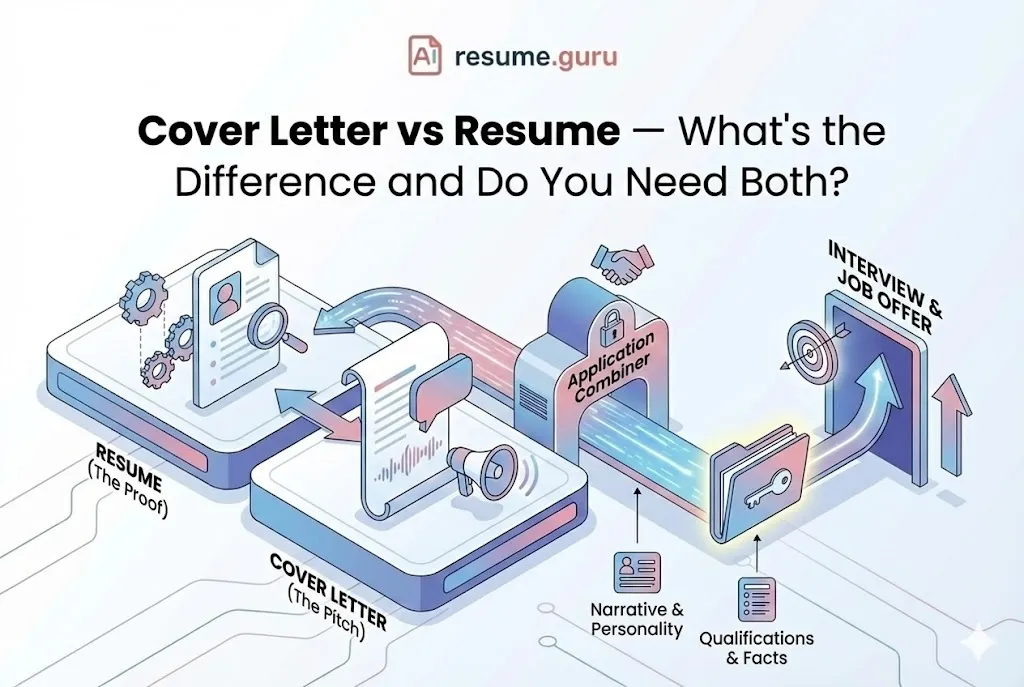
- Cover Letter vs. Resume — What each document does
Frequently Asked Questions
What do you write in an email when sending a resume?
Write a clear subject line with your name and the role, a greeting, two or three lines on why you're writing and why you fit, a note that your resume is attached, and a sign-off with your contact details. If you attach a cover letter, keep the body brief. If not, the body becomes a mini cover letter.
What should the subject line be when emailing a resume?
Front-load your name and the role, and keep it to roughly 50 to 60 characters so it shows in full on mobile. A clear format like 'Application for [Job Title], [Your Name]' works well, as does 'Referred by [Name], [Job Title], [Your Name].' Avoid vague subjects like 'Resume' or 'Job.'
What do you say in an email when sending a resume with no cover letter?
With no cover letter, the email body becomes your mini cover letter: a greeting, the role you want, a two-to-three-line pitch with one or two quantified wins, a note that your resume is attached, and a sign-off. Keep it to about 120 words so it stays scannable on a phone.
How do you email a resume when you don't know the hiring manager's name?
Check the job post, the company's LinkedIn, and the careers page first. If you still can't find a name, use 'Dear Hiring Team,' 'Dear [Company] Recruitment Team,' or 'Dear Hiring Manager.' These read as professional. Avoid 'To Whom It May Concern,' which feels dated and impersonal.
What is the best time of day to send a resume email to a recruiter?
Send Tuesday through Thursday in the morning, ideally between roughly 6 and 10 AM in the employer's time zone, so your email sits near the top of the inbox when they start work. Avoid Friday afternoons, weekends, and late nights, when applications get buried.
How long should you wait to follow up after emailing your resume?
Wait about 5 to 7 business days before your first follow-up, unless the post lists a different timeline. Keep it short, restate your interest, and re-attach your resume. Limit yourself to two or three total touches over a couple of weeks, then move on so you don't come across as pushy.
How do you email a resume to a company that isn't hiring?
Send a short speculative email: one paragraph on who you are and the role you want, one on why this company specifically. State how you found the contact, attach your resume, and make a low-pressure ask. Roughly 70 to 80% of jobs are never advertised, so cold emails are worth sending.
What file format should I attach my resume in for email?
Attach a text-based PDF by default: it preserves formatting and parses well in most applicant tracking systems. Use Word (.docx) only if the posting asks for it, and never send a scanned or image PDF. Keep the file under 10MB and name it clearly, like Firstname-Lastname-Resume.pdf.
Put this into practice
You have the theory. These take a few minutes and work on the resume you already have.