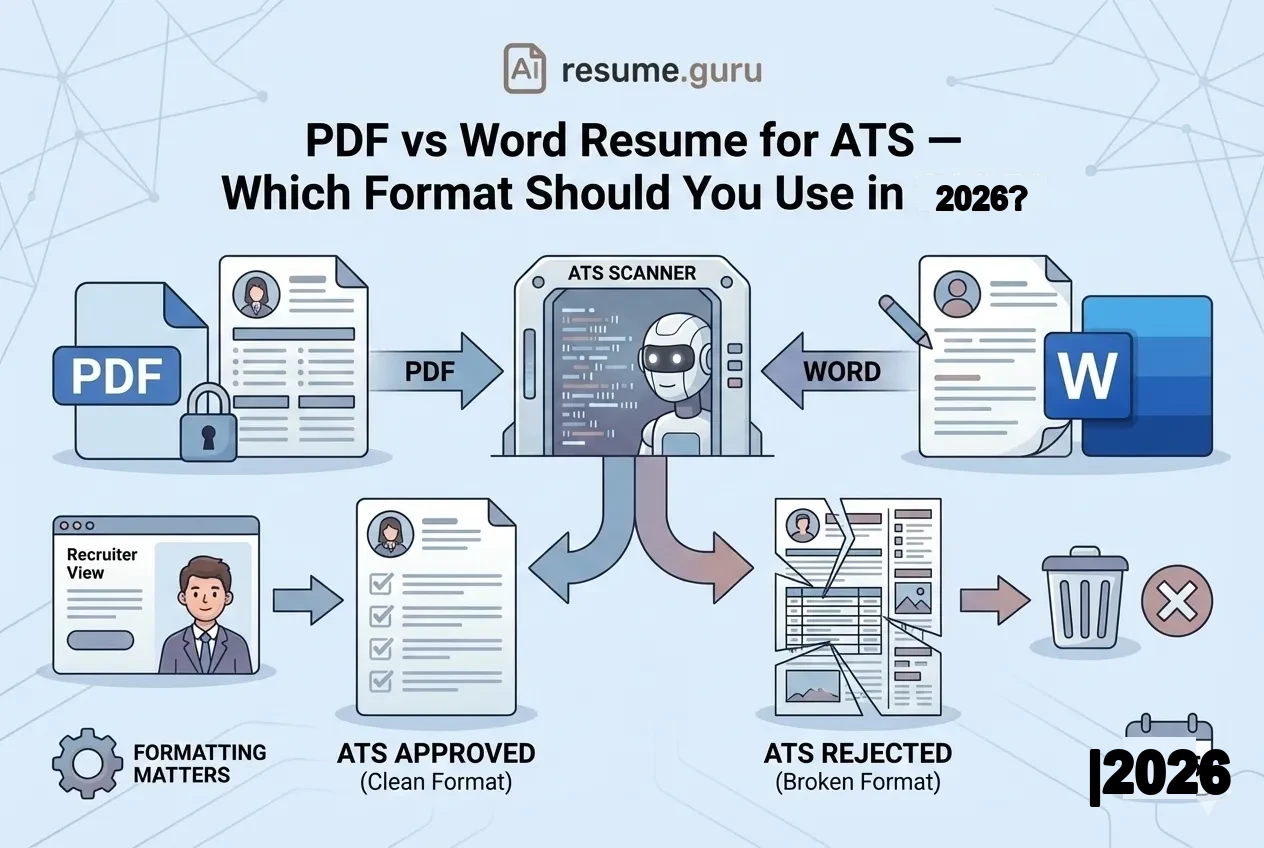
The short answer: Send the format the employer requests. If a portal accepts both PDF and DOCX without a preference, a text-based PDF is a practical choice for preserving layout. Keep an editable source for updates. Use DOCX when requested, and check the uploaded file and any fields the portal extracts before you submit.
When should you send PDF or Word?
| Application situation | What to send | What to check |
|---|---|---|
| Posting requests PDF | Selectable text, page breaks and file size | |
| Posting requests Word or DOCX | DOCX | Open it in a document editor and check formatting |
| Portal lists accepted formats | One of those formats | Its stated limits and the uploaded preview |
| Both are accepted, no preference | Text-based PDF is a practical default | Reading order and extracted application fields |
| Recruiter asks to edit your resume | The editable format they request | Agree on changes and confirm the final version |
| Instructions conflict with portal restrictions | Ask the recruiting contact | Do not bypass restrictions by renaming the extension |
Avoid guessing from an employer’s industry or size. A bank can use the same recruiting platform as a startup, and an agency may accept PDF unless it needs to edit the source.
Greenhouse’s supported formats include PDF and DOCX. That is evidence about one platform’s accepted uploads, not proof that every employer’s configuration or parser behaves identically.
Keep an editable source and a final upload
Your source is the document you maintain: a Word file, a Google Doc, LaTeX source or your saved builder resume. Your upload is the file you send for one application. Keep the source so that a small change does not require editing a PDF or rebuilding from a scan.
For example, keep Alex-Chen-Resume-Source.docx privately and export Alex-Chen-Resume.pdf for a posting that accepts PDF. If another employer explicitly requests DOCX, update the source and submit its Word version. Review both after changes; they can have different line breaks even with the same words.
What ResumeGuru exports
The current ResumeGuru builder downloads PDF, not DOCX. You can build and download a PDF resume. If an employer requires Word, maintain a separate Word or Google Docs source. Renaming a PDF to .docx does not convert it.
What can go wrong with a PDF resume?
A PDF is useful for preserving the appearance of the final document. But a file that looks correct can still contain missing text, an unexpected reading order or inaccessible characters. A scan or screenshot may contain no selectable text at all.
Greenhouse’s parsing guidance describes image uploads and complicated formatting among possible extraction problems. An accepted attachment and a correctly populated application are separate checks.
Before sending a PDF:
- Open the downloaded file, rather than relying on the editor preview.
- Search for your surname and a distinctive skill. Confirm the visible words can be found.
- Copy the text into a plain editor. Check that headings, employers, dates and bullets appear in a sensible order.
- Check the bottom of every page for clipped text and unexpected blank pages.
- Test contact and portfolio links, and confirm the file is not password protected.
The copy-and-paste check catches some problems; it cannot certify compatibility with the employer’s ATS. If the portal fills in application fields, inspect and correct those fields before submission.
What can go wrong with a Word resume?
DOCX is useful when the recipient needs an editable document or explicitly requests it. It is not a guarantee of correct parsing. Fonts, tabs, tables and floating text boxes can affect how a document appears or how its text is extracted.
Use paragraph styles and consistent spacing rather than repeated spaces. Keep essential contact details in the document body. Remove comments and resolve tracked changes before sending. Reopen the file after saving, especially if you created it in a different editor, and check whether any bullet or heading moved onto a new page.
If a recruiter requests editable content, confirm whether DOCX is required or whether another source format is acceptable. Do not assume that PDF-to-Word conversion preserves the original structure: review every section if you convert.
Does a simple template solve the format problem?
A clear layout makes checking easier, but the exported file still needs review. Start with readable section headings, consistent dates and enough space for your strongest evidence. Our single vs double column guide explains layout tradeoffs; the Harvard vs Jake’s comparison covers document and LaTeX workflows.
Here is the current Swiss — Free design with a real authored example. This is an interactive static preview, not a downloadable PDF test result. choose Swiss in the builder to write your own content, or compare current templates.
- Coursework: data structures, databases, software engineering and operating systems.
- Senior capstone: built a volunteer scheduling application with a four-student team and a community food pantry.
- Owned shift registration and cancellation flows; added database constraints and transaction tests so simultaneous requests could not claim the same remaining place.
- Worked with the pantry coordinator to replace spreadsheet-only signups with a shared schedule and a printable roster for volunteers without accounts.
- Wrote setup instructions and a handover checklist; tested keyboard navigation and error messages with teammates before the coordinator walkthrough.
- Built a command-line tool that imports public schedule feeds and compares planned departures by stop and day.
- Added fixtures for missing stop references and service exceptions, with an import report that distinguishes rejected rows from valid schedules.
- Documented that the tool analyzes published schedules, not live arrival predictions; included sample input and reproducible test commands.
- Added search and status filters to an internal support queue using React and an existing REST API, with guidance from a staff engineer.
- Reproduced a pagination bug, added a regression test and reviewed the fix with the support team before release.
- Updated the local development guide after testing setup on a clean checkout; paired with another intern to verify the instructions.
Resume upload checklist
Before you submit
- Read the posting and portal instructions for file type and size.
- Use a clear filename with your name and the correct extension.
- Open the exact attachment you intend to upload.
- Check that text is selectable and appears in a sensible reading order.
- Review page breaks, links, dates and contact details.
- Remove comments, tracked changes and password protection.
- Review the portal preview and correct any extracted fields.
- Keep the editable source and a copy of the file sent for this role.
After checking the file, compare your skills with the job description. Add the employer’s terminology only where it accurately describes your experience. File choice cannot compensate for missing qualifications or unsupported achievements.
Prepare your PDF resume
Edit your content, choose a current design and review the downloaded PDF against the employer’s instructions.
Start Building FreeRelated Resources
- Resume Optimization Guide — Full ATS strategy
- ATS Keywords by Industry — What to include, not just how to format
- Resume Trends 2026 — What else is changing
- Resume Templates — Current resume designs
- Keyword Scanner Tool — Check your ATS match score
- Resume Builder — Build and download a PDF resume
Frequently Asked Questions
Should I send a PDF or Word resume?
Follow the employer's instructions first. If both are accepted, a text-based PDF preserves your intended layout. Use DOCX when an editable document is requested.
Does copying text from a PDF prove ATS compatibility?
No. It can reveal missing text and reading-order problems, but it does not reproduce the employer's parser. Check fields populated by the application portal too.
Does ResumeGuru export Word files?
The current resume builder downloads PDF. It does not provide DOCX export. Use a separate Word or Google Docs source when an employer requires an editable Word document.
Can I rename a PDF file to DOCX?
No. Renaming changes the filename, not the document format. Create the requested format from an appropriate editable source and review the result.
Should I attach both PDF and Word?
Usually send the requested file. If you are emailing a recruiter who needs editable content, ask what they prefer. Send one clearly named current version unless the instructions request both.
Can I submit a scanned resume?
Use a digitally created text document when possible. Scans may require optical character recognition and can introduce errors. Review the fields populated by the actual application portal.
Put this into practice
You have the theory. These take a few minutes and work on the resume you already have.