Before a human ever sees your resume, a robot decides if you’re qualified.
Applicant Tracking Systems (ATS) scan, parse, and rank resumes before they reach recruiters. If your formatting confuses the system, your qualifications won’t matter—you’ll rank too low for a recruiter to ever find you. (For the full pipeline of what happens after you hit Apply, see how an ATS works.)
Of resumes
Are rejected by ATS before human review
Source: Jobscan Research, 2024
This guide shows you exactly how to format your resume so it passes ATS screening and lands on an actual recruiter’s desk.
ATS-Friendly Essentials
- Layout: Single column preferred, simple structure
- Fonts: Standard fonts (Arial, Calibri, Times New Roman)
- Sections: Use conventional headers (Experience, Education, Skills)
- File type: PDF (modern ATS) or Word (.docx)
- Graphics: None—ATS can’t read images
- Keywords: Mirror the job description language
What Is an ATS and Why Does It Matter?
An Applicant Tracking System is software that helps companies manage job applications. It does several things:
- 1
Parses your resume
Extracts text and organizes it into fields (name, email, work history, skills)
- 2
Searches for keywords
Matches your resume against job requirements
- 3
Ranks candidates
Scores how well you match the position
- 4
Filters applications
Flags candidates who meet minimum criteria
Common ATS Systems
| ATS Name | Market Share | Known For |
|---|---|---|
| Workday | 25%+ | Enterprise companies |
| Taleo (Oracle) | 20%+ | Large corporations |
| Greenhouse | 15%+ | Tech startups and mid-market |
| Lever | 10%+ | Growing tech companies |
| iCIMS | 10%+ | Mid-to-large enterprises |
| BambooHR | 5%+ | Small-to-medium businesses |
| Jobvite | 5%+ | Various industries |
The Parsing Problem
Each ATS parses resumes differently. What works perfectly in Greenhouse might confuse Taleo. The safest approach is using universally compatible formatting.
The ATS-Friendly Resume Structure
Here’s the shape a parser handles cleanly — and once yours matches it, score your resume now to check.
Optimal Layout
┌─────────────────────────────────────────┐
│              YOUR NAME                  │
│   Email | Phone | LinkedIn | Location   │
├─────────────────────────────────────────┤
│          PROFESSIONAL SUMMARY           │
│  2-3 lines of keyword-rich overview     │
├─────────────────────────────────────────┤
│          WORK EXPERIENCE                │
│  Job Title | Company | Dates            │
│  • Achievement bullet                   │
│  • Achievement bullet                   │
├─────────────────────────────────────────┤
│            EDUCATION                    │
│  Degree, School, Year                   │
├─────────────────────────────────────────┤
│             SKILLS                      │
│  Skill 1, Skill 2, Skill 3, Skill 4     │
└─────────────────────────────────────────┘
Section Headers That ATS Recognizes
Use standard, conventional headers (for the full breakdown of which sections to include and in what order, see our resume sections guide and resume section order):
| ATS-Friendly ✅ | May Cause Issues ❌ |
|---|---|
| Work Experience | Where I've Made an Impact |
| Professional Experience | My Journey |
| Education | Academic Background |
| Skills | My Toolkit |
| Summary | About Me |
| Certifications | Professional Development |
Font Choices for ATS
Stick to standard, widely-available fonts, or browse ATS-safe templates where the choice is already made for you:
| Safe Fonts ✅ | Risky Fonts ⚠️ | Avoid ❌ |
|---|---|---|
| Arial | Georgia | Custom/downloaded fonts |
| Calibri | Verdana | Decorative fonts |
| Times New Roman | Tahoma | Script fonts |
| Helvetica | Garamond | Very thin/light fonts |
| Cambria | Book Antiqua | Icon fonts |
Font Size Guidelines
| Element | Recommended Size |
|---|---|
| Name | 14-16pt |
| Section headers | 11-12pt (bold) |
| Body text | 10-11pt |
| Contact info | 10-11pt |
Size Matters
Fonts below 10pt may not scan well. Fonts above 12pt for body text waste space. Stay in the sweet spot.
File Format: PDF vs. Word
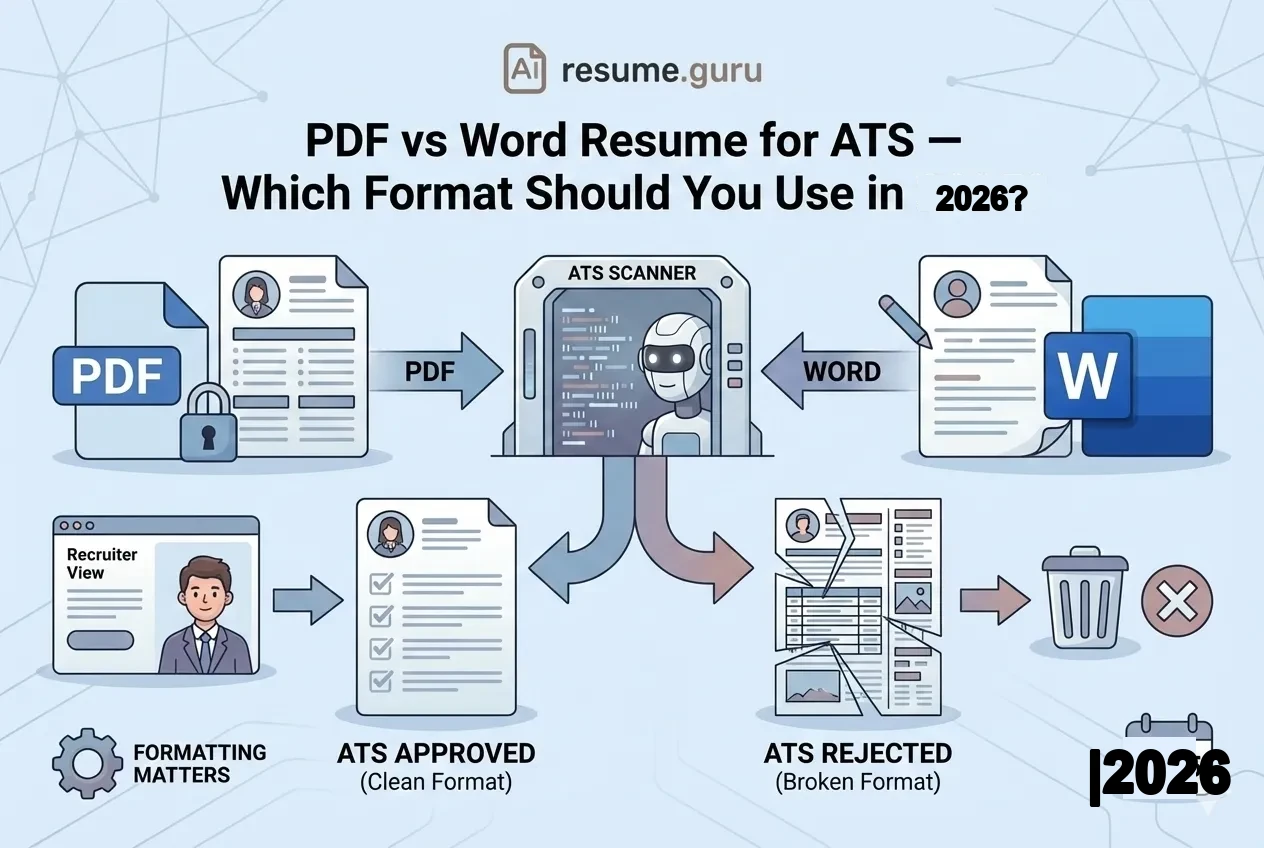
The eternal debate—but here’s what actually matters (we go deeper in our full PDF vs Word for ATS comparison):
| Word (.docx) | |
|---|---|
| Preserves formatting exactly | May reformat on different systems |
| Modern ATS handles well (post-2020) | All ATS systems accept it |
| Cannot be accidentally edited | Recruiters can make notes on it |
| Slightly larger file size | Smaller file size |
| Universal readability | May render differently on Mac vs PC |
Best Practice
- 1
Check the job posting
If they specify a format, use it
- 2
When no preference is stated
PDF is generally safe for modern systems
- 3
For older companies or government
Word may be preferred
- 4
Have both ready
Create PDF and Word versions of your resume
PDF Creation
Save as PDF directly from Word or Google Docs rather than using a PDF printer. This preserves text selectability, which helps ATS parsing.
Formatting Rules for ATS
Do’s
ATS-Friendly Formatting
- Use standard bullet points (•, -, or ▪)
- Left-align all text
- Use clear section breaks
- Keep margins between 0.5" and 1"
- Use consistent date formats throughout
- Put contact info in the main body, not a header
- Use simple line formatting (no borders or boxes)
- Spell out acronyms at least once
Don’ts
Avoid These Formatting Choices
- Headers and footers (ATS may skip these entirely)
- Tables for layout (can scramble content order)
- Text boxes (content may be ignored)
- Graphics, logos, or icons (invisible to ATS)
- Multiple columns (can confuse text order)
- Unusual characters or symbols
- Colored backgrounds or shading
- Embedded charts or images
Two of these deserve a closer look: special characters that break ATS parsing and multiple columns, where we weigh single vs two-column layouts in detail.
Contact Information: Where to Put It
ATS systems look for contact info in specific formats:
Optimal Contact Format
John Smith
john.smith@email.com | (555) 123-4567 | linkedin.com/in/johnsmith | San Francisco, CA
What to Include
| Element | Format | Example |
|---|---|---|
| Full name | Top of resume, larger font | John Smith |
| Professional address | john.smith@gmail.com | |
| Phone | With area code | (555) 123-4567 |
| Custom URL (no https://) | linkedin.com/in/johnsmith | |
| Location | City, State only | San Francisco, CA |
What NOT to Include
Skip These Contact Details
- Full street address (privacy concern, not needed)
- Multiple phone numbers
- Unprofessional email addresses
- Photo or headshot
- Personal social media (unless portfolio)
- Date of birth or age
Header/Footer Warning
Many ATS systems skip header and footer content entirely. Put your contact information in the main body of your document, not in a Word header.
Keywords: The Heart of ATS Matching
ATS systems match your resume against job descriptions using keywords. Missing keywords = low match score = a resume that ranks too low to be seen. Our resume keywords guide covers how to choose and place them, and ATS keywords by industry gives you sector-specific terms to start from.
Match rate
Is typically needed to pass initial ATS screening
Source: Jobscan Research, 2024
Types of Keywords to Include
- 1
Hard skills
Technical abilities: Python, SQL, Salesforce, Excel, Adobe Photoshop
- 2
Job titles
Both your titles and the target title: Marketing Manager, Brand Manager
- 3
Industry terms
Specialized vocabulary: SEO, ROI, KPIs, agile, sprint
- 4
Certifications
Professional credentials: PMP, CPA, AWS Certified, Google Analytics
- 5
Software and tools
Specific platforms: Jira, Figma, HubSpot, Tableau
How to Find the Right Keywords
- 1
Analyze the job description
Highlight repeated terms, required skills, and emphasized qualifications
- 2
Check multiple similar postings
Find common terminology across the industry
- 3
Use exact matches
If they say 'project management,' use that exact phrase
- 4
Include variations
Use both 'PM' and 'Project Manager' if space allows
Check your keyword match
Our free keyword scanner compares your resume against any job description and identifies missing terms.
Scan Your ResumeSkills Section: ATS Optimization
Your skills section is prime real estate for keyword matching. If you’re not sure what belongs there, find the right skills to list for your target role.
Optimal Skills Format
Simple comma-separated list (most ATS-compatible):
SKILLS

Technical: Python, SQL, Tableau, Excel, Salesforce, Google Analytics
Marketing: SEO, SEM, Content Marketing, Email Marketing, A/B Testing
Tools: HubSpot, Marketo, Jira, Asana, Figma, Slack
Or categorized list:
SKILLS

Programming Languages: Python, JavaScript, SQL, R
Data Tools: Tableau, Power BI, Excel, Google Sheets
Cloud Platforms: AWS, Google Cloud Platform, Azure
Methodologies: Agile, Scrum, Kanban, CI/CD
Skills to Include
| Include ✅ | Skip ❌ |
|---|---|
| Specific software names | Vague claims ('great communicator') |
| Technical certifications | Obvious skills ('Microsoft Word') |
| Industry-specific tools | Personality traits |
| Measurable competencies | Hobbies (unless relevant) |
| Current technologies | Outdated or deprecated tools |
Common ATS Formatting Mistakes
Mistake 1: Creative Layouts and Graphics
| What You See | What ATS Sees |
|---|---|
| Beautiful infographic resume | Blank page or garbled text |
| Skill bars showing proficiency | Nothing (images are invisible) |
| Icon-decorated contact info | Missing contact information |
| Two-column layout with sidebar | Scrambled text order |
Mistake 2: Tables for Layout
Tables can cause ATS to read content in wrong order:
What you intended:
Marketing Manager Acme Corp 2020-2023What ATS might read:
Marketing Manager 2020-2023 Acme CorpOr worse: completely scrambled content.
Mistake 3: Non-Standard Bullet Characters
| Safe ✅ | Risky ⚠️ |
|---|---|
| • (standard bullet) | → (arrow) |
| - (hyphen) | ✓ (checkmark) |
| ▪ (small square) | ★ (star) |
| ○ (circle) | ◆ (diamond) |
Mistake 4: Putting Key Info in Headers/Footers
Critical Warning
Many ATS systems ignore headers and footers completely. Your name and contact info might never be captured if placed there. Always put essential information in the main document body.
Mistake 5: Unusual File Names
| Good File Names ✅ | Bad File Names ❌ |
|---|---|
| John_Smith_Resume.pdf | Resume_Final_v3_UPDATED(1).pdf |
| JohnSmith_Marketing_Manager.pdf | My Resume.pdf |
| Smith_John_Resume_2024.pdf | resume.pdf |
Testing Your Resume’s ATS Compatibility
Method 1: The Copy-Paste Test
- Open your PDF resume
- Select All (Ctrl+A / Cmd+A)
- Paste into a plain text editor (Notepad, TextEdit)
- Check if the content is readable and in correct order
If the text is garbled, out of order, or missing content, ATS will have the same problem.
Method 2: The Word Conversion Test
- Upload your PDF to Google Drive
- Open with Google Docs
- Check if formatting translated correctly
Significant formatting loss indicates ATS compatibility issues.
Method 3: Use an ATS Scanner
Test your resume for free
Our ATS scanner checks formatting, keywords, and compatibility—showing exactly what an ATS sees.
Test Your ResumeATS-Friendly Resume Template
Here’s a complete template optimized for ATS:
JOHN SMITH
john.smith@email.com | (555) 123-4567 | linkedin.com/in/johnsmith | San Francisco, CA

PROFESSIONAL SUMMARY

Results-driven Marketing Manager with 7+ years of experience in B2B SaaS marketing.
Proven track record of generating 150%+ of pipeline targets through integrated campaigns.
Expertise in demand generation, content marketing, and marketing automation.

WORK EXPERIENCE

Senior Marketing Manager
Acme Technology | San Francisco, CA | January 2021 - Present

• Led demand generation strategy that generated $5M+ in pipeline within first year
• Managed $1.2M annual marketing budget with 3.5x ROI on paid campaigns
• Built and mentored team of 4 marketing specialists
• Implemented HubSpot marketing automation, increasing lead scoring accuracy by 40%

Marketing Manager
StartupCo | Oakland, CA | March 2018 - December 2020

• Developed content marketing program generating 200% increase in organic traffic
• Created email nurture campaigns achieving 35% open rate and 8% CTR
• Launched account-based marketing initiative targeting 50 enterprise accounts
• Collaborated with sales to reduce lead response time from 24 hours to 2 hours

Marketing Coordinator
Tech Corp | San Jose, CA | June 2016 - February 2018

• Coordinated execution of 20+ marketing campaigns annually
• Managed social media presence, growing LinkedIn followers by 150%
• Supported event marketing for annual conference (500+ attendees)

EDUCATION

Bachelor of Science in Marketing
University of California, Berkeley | 2016

SKILLS

Marketing: Demand Generation, Content Marketing, ABM, Email Marketing, SEO/SEM
Tools: HubSpot, Marketo, Salesforce, Google Analytics, Tableau, Asana
Technical: SQL (basic), HTML/CSS, A/B Testing, Marketing Attribution
Special Considerations by ATS Type
Modern ATS (Greenhouse, Lever, Workday)
These systems are more sophisticated:
- Better at parsing varied formats
- Can handle PDF well
- May support limited design elements
- Still prefer clean formatting
Legacy ATS (Taleo, older systems)
More restrictive:
- Strongly prefer Word documents
- Struggle with complex layouts
- May misparse uncommon formatting
- Require stricter adherence to standards
When in Doubt
Format for the lowest common denominator. A perfectly ATS-compatible resume works everywhere, while a creative resume might fail unpredictably.
Beyond ATS: The Human Review
Remember: passing ATS is just step one. The system ranks and filters, but a human still makes the call (and rarely auto-rejects—we bust that 75% myth in our ATS guide). Your resume still needs to impress that person.
Average time
Recruiters spend on initial resume scan
Source: TheLadders Eye-Tracking Study
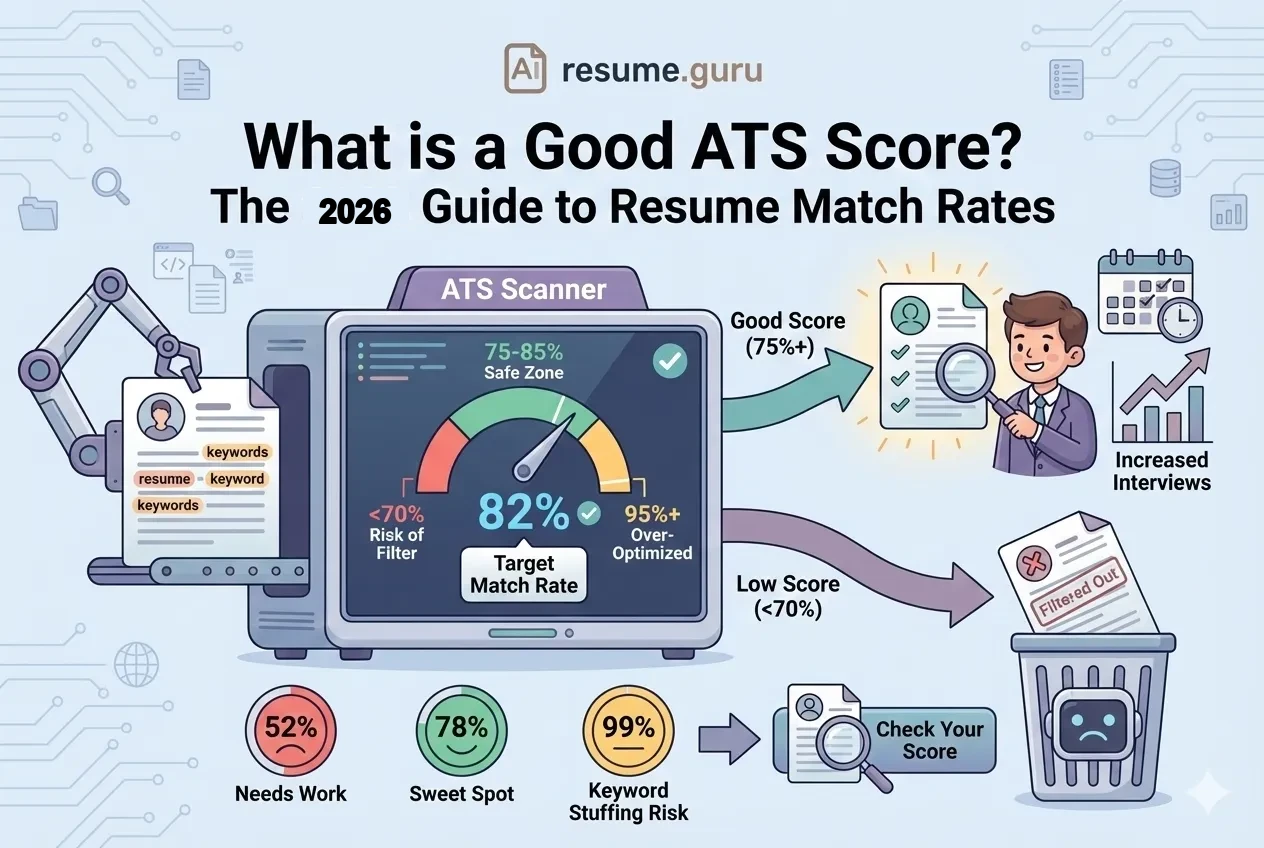
If you’re doing everything right here and still hearing nothing, the cause is usually one of a handful of fixable mechanics—work through why your resume isn’t getting interviews to diagnose it, and check what counts as a good ATS score to know what number you’re aiming for.
The Two-Audience Approach
Your resume must satisfy both:
| ATS Requirements | Human Requirements |
|---|---|
| Keywords present | Achievements compelling |
| Parseable format | Easy to scan visually |
| Standard sections | Clear career narrative |
| Correct information | Demonstrates value |
An ATS-friendly resume that’s boring or poorly written won’t get you hired. Balance optimization with compelling content.
Final ATS Checklist
Before You Submit
- Used standard fonts (Arial, Calibri, Times New Roman)
- Contact info is in the document body, not header/footer
- Section headers are conventional (Experience, Education, Skills)
- No graphics, images, or icons
- No tables for layout purposes
- Standard bullet characters only
- File saved as .pdf or .docx (per instructions)
- File name is professional
- Dates are formatted consistently
- Keywords from job description are included
- Copy-paste test shows correct text order
- Margins are between 0.5" and 1"
The Bottom Line
ATS systems aren’t trying to reject you—they’re trying to find the best matches for open positions. But they’re imperfect machines that need help understanding your qualifications.
By following ATS-friendly formatting rules, you remove artificial barriers between your qualifications and the humans who need to see them.
The goal isn’t just to “beat” the ATS. It’s to present your qualifications clearly so both machines and humans can evaluate you fairly.
Build an ATS-optimized resume
Our builder creates perfectly formatted resumes that pass ATS screening while looking great to human recruiters.
Start Building FreeRelated Resources
- Resume Optimization Guide — Complete ATS optimization
- ATS Keywords by Industry — Industry-specific keywords
- PDF vs Word for ATS — File format comparison
- Resume Builder — Build an ATS-optimized resume
- Keyword Scanner — Check your keyword match
Frequently Asked Questions
What is an ATS-friendly resume format?
An ATS-friendly resume uses standard formatting that applicant tracking systems can parse correctly: simple layouts, standard section headers, common fonts, and no graphics or complex tables. The goal is ensuring the system extracts your information accurately so you're matched to relevant jobs.
Do all companies use ATS systems?
Most medium-to-large companies (90%+ of Fortune 500) use ATS. Small businesses and startups may not. When applying through job boards, assume ATS is involved. When emailing a resume directly, ATS-friendly formatting is still safer but less critical.
Can I use a two-column resume with ATS?
It depends on the ATS. Modern systems like Greenhouse and Lever handle two-column layouts well. Older systems may scramble text order. For maximum compatibility, single-column is safest. If using two columns, keep critical information (experience, skills) in the main column.
Should I submit my resume as PDF or Word for ATS?
Check the job posting. If no preference is stated, PDF is generally safe for modern ATS (post-2020 systems). Some older systems prefer Word (.docx). When in doubt, have both versions ready.
Do ATS systems read graphics, logos, or images?
No. ATS cannot interpret images, icons, or graphics. Any text embedded in images will be invisible to the system. This includes infographic resumes, charts, and decorative elements. Keep your resume text-based.
Put this into practice
You have the theory. These take a few minutes and work on the resume you already have.