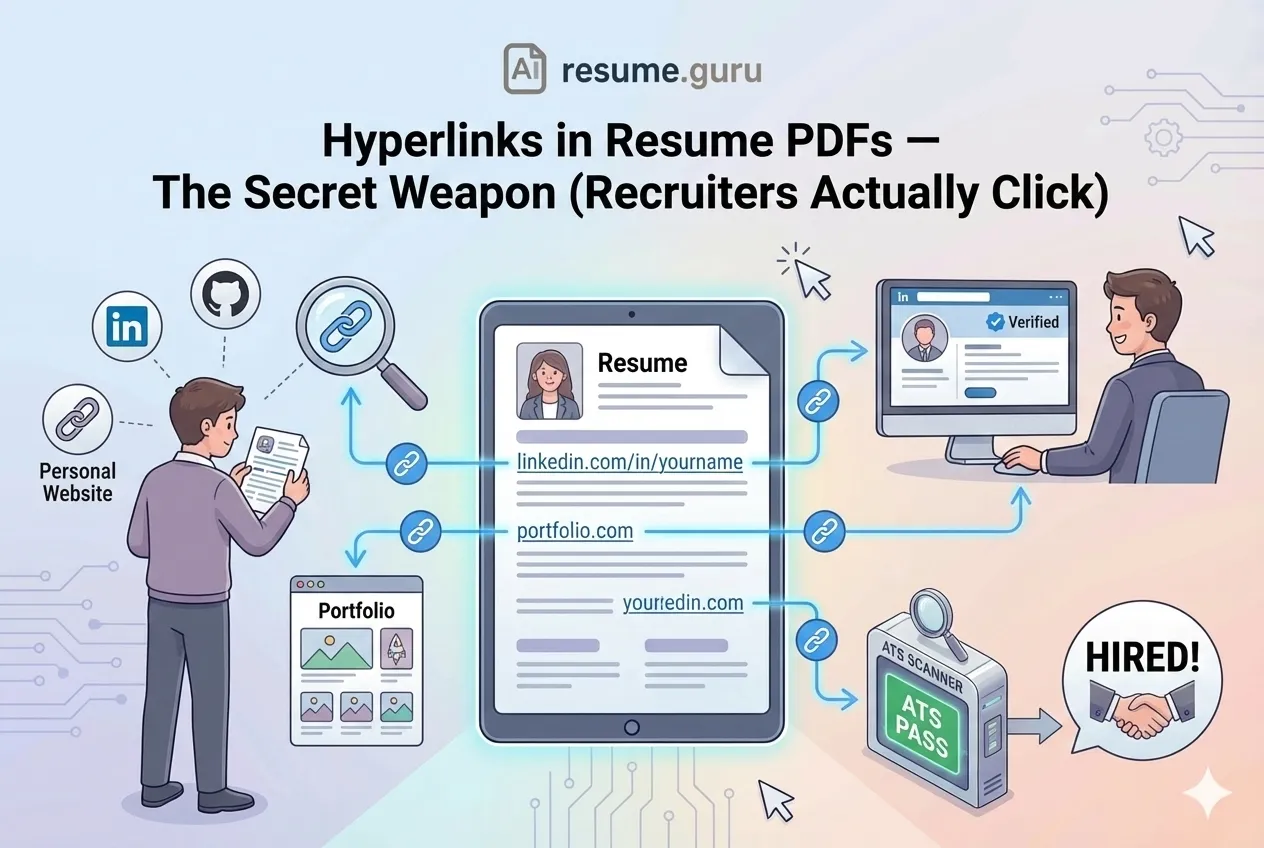
Let me ask you something: when was the last time you actually clicked a link on someone's resume?
If you're a recruiter, the answer might surprise you. They do click — when the link is presented well and leads somewhere valuable.
The problem is, most job seekers either don't include links at all or include them in ways that don't work. Broken hyperlinks. Links that ATS strips out. URLs that look like alphabet soup.
Let's fix that.
Smart Linking Strategy
- Hyperlinks are powerful when used correctly
- Always include the full URL as plain text (backup for ATS)
- Limit to 2-3 strategic links (LinkedIn, portfolio, relevant profile)
- Test every link before sending — broken links are worse than no links
- Place links in the header/contact section for easy access
- Build a perfectly hyperlinked resume →
Why Links Matter on Modern Resumes
Of recruiters check LinkedIn
Before making interview decisions, most recruiters will verify your digital presence. Make it easy for them.
Source: Jobvite Recruiter Nation Survey
Your resume is the appetizer. Your online profiles are the main course.
A well-placed hyperlink says: "There's more where this came from. Click to learn more."
What Links Accomplish
- Extend your resume without adding pages
- Showcase work that doesn't fit in text format (designs, code, videos)
- Verify credibility through your professional presence
- Signal tech-savviness — you understand modern communication
- Create engagement — a click is the start of a relationship
What to Link (And What to Skip)
| ✅ Link These | ❌ Skip These |
|---|---|
| LinkedIn profile (polished and current) | Personal Facebook or Instagram |
| Professional portfolio (relevant work samples) | Outdated blog with sporadic posts |
| GitHub with active repositories | GitHub with only forked repos, no original work |
| Published articles or case studies | Random Medium drafts or unfinished work |
| Personal website with clear value proposition | Generic landing page with no content |
| Behance/Dribbble (for designers) | Profiles with work from 5+ years ago |
The Golden Rule
Only link to content you'd be proud to discuss in an interview.
If a recruiter clicks and finds outdated, incomplete, or unprofessional content, you've just hurt your application instead of helping it.
How to Include Links Properly
Method 1: Hyperlinked Text (Clickable)
This is the cleanest approach when your resume is viewed digitally:
LinkedIn: linkedin.com/in/yourname
Portfolio: yourname.com
Make It Obvious
Use descriptive anchor text like "linkedin.com/in/yourname" rather than "Click here" or "My Profile." This serves two purposes: it works even if hyperlinks fail, and it tells the reader what they're clicking on.
Method 2: Plain Text URLs (ATS Backup)
Some older ATS systems strip hyperlinks. Some recruiters print resumes. Some email clients block links.
Always include the full URL in readable text:
LinkedIn: linkedin.com/in/yourname
GitHub: github.com/yourname
This ensures your links survive any format conversion.
Method 3: The Combined Approach (Recommended)
Best of both worlds: hyperlink the URL itself.
LinkedIn: linkedin.com/in/yourname (clickable)
Portfolio: sarahchen.design (clickable)
The URL is visible (works if printed or stripped), but also clickable (works in digital viewing).
Where to Place Links on Your Resume
- 1
Header/Contact Section
The most common and expected location. Include email, phone, LinkedIn, and portfolio here.
- 2
Under Education (for academic profiles)
Link to published papers, research portfolios, or academic profiles like Google Scholar.
- 3
In a Skills or Projects Section
Link specific projects to their GitHub repo or live demo. Relevant for developers and designers.
- 4
Within Experience Bullets (sparingly)
If you led a major initiative that has a public presence, a single strategic link can be powerful.
Example Header
SARAH CHEN
Senior Product Designer

sarah@email.com | +1 555 123 4567 | Seattle, WA
linkedin.com/in/sarahchen | sarahchen.design
Clean. Professional. All links visible and accessible.
The ATS Factor
Here's where many job seekers trip up.
ATS Compatibility Issues
- Some ATS strip hyperlinks during parsing, leaving broken text
- Complex URLs can get mangled (especially with tracking parameters)
- Links in headers/footers may not be parsed at all
- Hidden links (text says "Click Here" with link embedded) fail completely
How to Make Links ATS-Friendly
- Use the full URL as visible text — not hidden behind "Click Here"
- Place links in the body — not headers or footers
- Keep URLs clean — remove UTM parameters and tracking codes
- Avoid shorteners — bit.ly links can look spammy
- Test with an ATS simulator — our Keyword Scanner helps identify parsing issues
PDF Export Settings That Preserve Links
This trips up a lot of people: you've added hyperlinks in Word or Google Docs, but they disappear when you export to PDF.
How to Keep Links Alive
From Microsoft Word:
- File → Save As → PDF
- Or: File → Export → Create PDF/XPS Document
From Google Docs:
- File → Download → PDF Document (.pdf)
- Links should preserve automatically
DO NOT: Print to PDF (this creates an image, killing all hyperlinks)
After exporting, open the PDF and click every link to verify they work.
Common Mistakes to Avoid
Mistake 1: Dead Links
Links that lead to 404 errors, suspended accounts, or deleted content. Always test before sending.
Mistake 2: Linking to Unprofessional Content
Your LinkedIn has a professional headshot and detailed experience. Your Instagram has... well, it's personal. Keep them separate.
Mistake 3: Too Many Links
A resume with 10 hyperlinks feels cluttered and desperate. Limit to 2-4 strategic, high-value links.
Mistake 4: Complex or Ugly URLs
If your LinkedIn URL is linkedin.com/in/john-smith-12345abc-67890, customize it. Most platforms let you create clean vanity URLs.
Making Your Linked Content Shine
The link is only as good as what it leads to.
Before Linking to Your Profiles
- LinkedIn profile is complete and updated
- Professional headshot on all linked profiles
- Portfolio showcases relevant, recent work
- GitHub has pinned repos with clear descriptions
- Personal website loads quickly and looks professional
- No outdated or embarrassing content anywhere visible
- Contact information is consistent across all platforms
Need LinkedIn Help?
Our LinkedIn Bio Generator can help you craft a compelling headline and summary for the profile you're linking to.
When to Skip Links Entirely
Sometimes, no links is the right choice:
- Highly formal industries — Some government and legal roles prefer traditional resumes
- When you don't have strong online presence — Better to skip than link to a ghost town
- Printed resume situations — Physical resumes at career fairs can skip hyperlinks (they don't work anyway)
Your Move
Hyperlinks are a bridge between your one-page resume and the full depth of your professional story.
Use them strategically: 2-4 high-value links, clearly displayed, pointing to polished content.
And always, always test before sending. A broken link doesn't just fail to help — it actively hurts your candidacy by signaling carelessness.
Build a resume with smart, working links
Our AI Resume Builder creates clean, ATS-friendly resumes with properly formatted hyperlinks. Your digital presence, seamlessly connected.
Create My ResumeRelated Resources
- PDF vs. Word Resume — Which format to send and when
- LinkedIn Profile Optimization — Polish what you're linking to
- Resume File Name Best Practices — Another detail recruiters notice
- QR Codes on Resumes — Another way to link to your portfolio
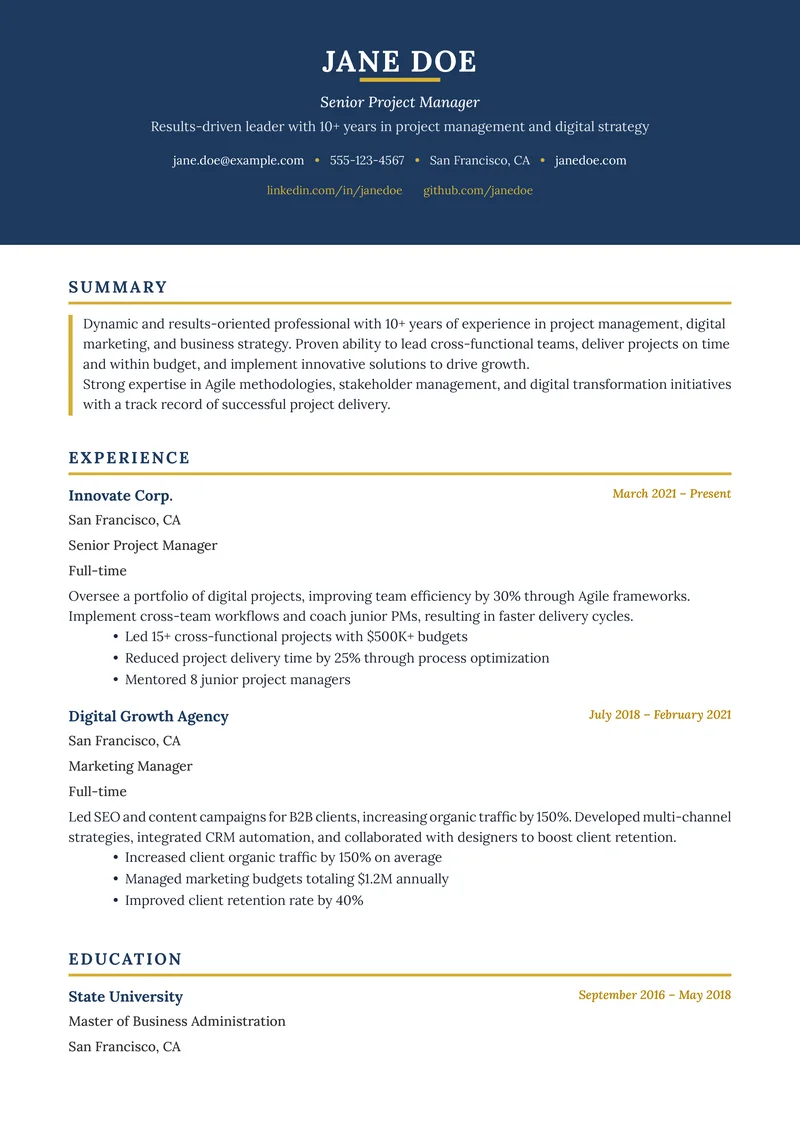
- Resume Examples — See proper link placement in action
- LinkedIn Bio Generator — Craft a compelling profile
- Resume Templates — Clean designs with proper link formatting
- Keyword Scanner — Check your resume's ATS compatibility
Frequently Asked Questions
Will ATS systems read hyperlinks in my resume?
Most modern ATS can read hyperlinks, but some older systems may strip them out. Always include the full URL as plain text (e.g., 'linkedin.com/in/yourname') alongside any clickable link as a backup.
What links should I include on my resume?
LinkedIn profile, online portfolio, GitHub (for developers), personal website, or relevant publications. Only include links that are professional, current, and directly relevant to the job.
Can hyperlinks hurt my resume?
Yes, if they're broken, lead to outdated content, or link to unprofessional profiles. Always test every link before sending and ensure the destination content is polished.
Should I use link shorteners on my resume?
Avoid URL shorteners like bit.ly — they can look spammy and some security systems flag them. Use clean, simple URLs without excessive tracking parameters.
Build Your Perfect Resume
Create an ATS-optimized resume with our AI-powered builder.
No signup required.Start Building FreeExplore Resources
Enjoyed this article?
Share it with your network