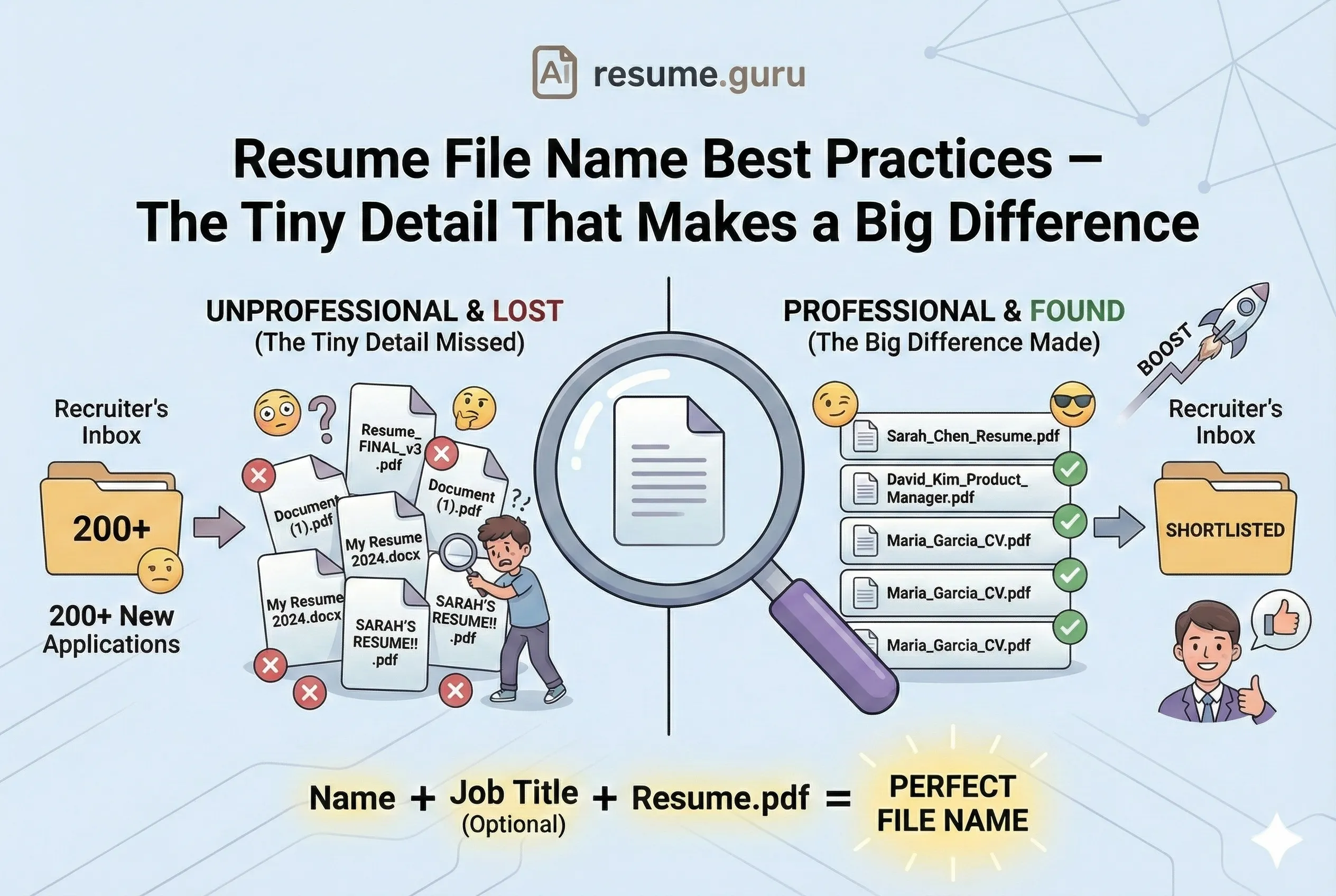
You've spent hours perfecting your resume. The formatting is flawless. The keywords are optimized. The achievements are quantified.
And then you save it as Resume_FINAL_v3_NEWEST.pdf and hit send.
Facepalm.
Your file name is the first thing recruiters see — literally, before they even open your resume. It shows up in their email, in their downloads folder, and in their ATS dashboard.
It's a small detail. But small details add up to big impressions.
The Perfect File Name
- Format:
FirstName_LastName_Resume.pdf - Even better:
FirstName_LastName_JobTitle_Resume.pdf - PDF is the default (unless they request .docx)
- No spaces, special characters, or version numbers
- Keep it under 30 characters if possible
- Create a properly formatted resume →
Why File Names Matter
Thing recruiters see
Before opening your resume, recruiters see the file name in their email, folder, or ATS. It's your silent first impression.
Source: Recruiter workflow analysis
Think about it from the recruiter's perspective:
They receive 200+ applications. They download 50 resumes to review. Now they're looking at a folder full of files named:
Resume.pdfMy Resume (1).pdfDocument.pdfresume_final_version_updated.pdf
And then yours: David_Kim_Senior_Product_Manager.pdf
Which one looks more professional? Which one will they remember tomorrow when they're searching for that strong candidate?
The Perfect File Name Formula
- 1
Start with your full name
FirstName_LastName. This makes your resume instantly identifiable in any folder.
- 2
Add the job title (optional but smart)
If applying for 'Senior Marketing Manager', add it. This shows your application is targeted.
- 3
End with 'Resume' or 'CV'
Clarifies the document type. Especially helpful if you're also sending cover letters.
- 4
Use PDF format
Default choice. Preserves formatting perfectly across all devices.
Examples of Great File Names
Professional File Names
Sarah_Chen_Resume.pdfJames_Wilson_Product_Designer_Resume.pdfMaria_Garcia_Senior_Accountant_CV.pdfDavid_Kim_Software_Engineer_Resume.pdf
Examples of Bad File Names
What Not to Do
Resume.pdf— Generic, forgettable, impossible to findResume_Final.pdf— Signals you have messy version controlresume (2).pdf— The automatic duplicate name. Careless.My Resume Updated December 2026.pdf— Way too long, and now it's datedSARAH CHEN RESUME!!!.pdf— All caps and exclamation points? No.
The Naming Convention
| Element | Include? | Why |
|---|---|---|
| Full Name | ✅ Always | Makes you identifiable in recruiter's downloads |
| Job Title | ✅ Recommended | Shows you've tailored; helps with sorting |
| 'Resume' or 'CV' | ✅ Recommended | Clarifies document type |
| Company Name | ☑️ Optional | Useful for multiple applications to same company |
| Date/Year | ❌ Avoid | Signals your resume will become outdated |
| Version Numbers | ❌ Never | resume_v3_final — looks unprofessional and disorganized |
| Special Characters | ❌ Never | Can cause upload/parsing issues |
Spaces, Underscores, or Hyphens?
There's a small debate here, but the consensus is clear:
Underscores (_) or hyphens (-) are best.
Spaces can work, but some older systems convert them to %20, making your file name look like Sarah%20Chen%20Resume.pdf. Not pretty.
| Separator | Example | Verdict |
|---|---|---|
| Underscores | Sarah_Chen_Resume.pdf | ✅ Best — clean, universal support |
| Hyphens | Sarah-Chen-Resume.pdf | ✅ Good — also widely supported |
| Spaces | Sarah Chen Resume.pdf | ⚠️ Risky — can convert to %20 |
| None | SarahChenResume.pdf | ❌ Hard to read at a glance |
PDF vs. Word: Which to Send?
PDF Benefits
- PDF preserves exact formatting on all devices
- PDF can't be accidentally edited
- PDF is the professional standard
- PDF works across Mac, Windows, mobile
PDF Drawbacks
- Some old ATS had trouble parsing PDFs (rare now)
- Minor editing requires re-export
- Very old systems may reject
The default answer: PDF.
Only send a .docx Word file if:
- The job posting explicitly requests it
- You're applying through a system that demands it
- You've confirmed the company's ATS prefers Word
When in doubt, you can offer both: "I've attached my resume as a PDF. Let me know if you'd prefer a Word version."
What If You're Applying to Multiple Roles?
If you're tailoring your resume for different positions (as you should), keep your file names organized:
Personal System (for your files)
Sarah_Chen_Marketing_Manager_Microsoft_Dec2026.pdf
This helps YOU track versions. The date and company help you remember which version you sent where.
What You Send
Sarah_Chen_Marketing_Manager.pdf
Strip the internal tracking info. The recruiter doesn't need to know you're applying elsewhere.
Pro Tip
Create a folder structure like /Applications/CompanyName/ and keep your tailored resumes organized. Our AI Resume Builder lets you save and manage multiple versions easily.
Character Limit Considerations
Some systems truncate long file names. Keep yours readable:
| Length | Example | Status |
|---|---|---|
| Under 30 chars | Sarah_Chen_Resume.pdf | ✅ Ideal |
| 30-50 chars | Sarah_Chen_Senior_Product_Manager_Resume.pdf | ✅ Acceptable |
| 50+ chars | Sarah_Chen_Senior_Product_Manager_Google_December_2026_Final_Resume.pdf | ❌ Too long |
Cover Letter Naming
If you're sending a cover letter separately, use a matching naming convention:
Resume:
Sarah_Chen_Product_Manager_Resume.pdf
Cover Letter:Sarah_Chen_Product_Manager_Cover_Letter.pdf
This shows attention to detail and makes it easy for recruiters to pair your documents.
File Name Checklist
Before You Hit Send
- File name includes your full name
- Format is PDF (unless .docx specifically requested)
- No version numbers (v3, FINAL, updated)
- No special characters (except underscores/hyphens)
- Under 50 characters
- Matches cover letter naming if applicable
- Tested by downloading and viewing as recruiter would
Your Move
It takes 10 seconds to rename your file properly. That's 10 seconds that signals professionalism, attention to detail, and respect for the recruiter's workflow.
Don't be Resume(1).pdf. Be FirstName_LastName_JobTitle_Resume.pdf.
Small detail. Big difference.
Create a professionally formatted resume
Our AI Resume Builder exports clean, properly named PDFs that look professional from the moment they hit a recruiter's inbox.
Build My ResumeRelated Resources
- PDF vs. Word Resume — Detailed format comparison
- Hyperlinks in Resume PDFs — Make your links work properly
- Resume Bullet Point Length — Another formatting detail
- Resume Templates — Clean designs, easy export
- Cover Letter Generator — Match your resume professionally
- Resume Examples — See proper formatting in action
- Special Characters That Break ATS — More formatting pitfalls
Frequently Asked Questions
What is the best file format for resumes?
PDF is the gold standard — it preserves formatting across all devices. Only send a Word document (.docx) if the job posting specifically requests it.
Should I include the date in my resume file name?
Generally, no. Adding 'December2026' can help you track versions, but it also signals to recruiters that your resume may be outdated in a few months. Keep it simple.
Can my resume file name affect ATS parsing?
The file name itself doesn't affect ATS parsing, but using special characters or extremely long names can cause issues with certain upload systems.
Should I include the job title from the posting?
Yes, especially if applying to multiple roles at the same company. It helps recruiters sort applications and shows you've tailored your materials.
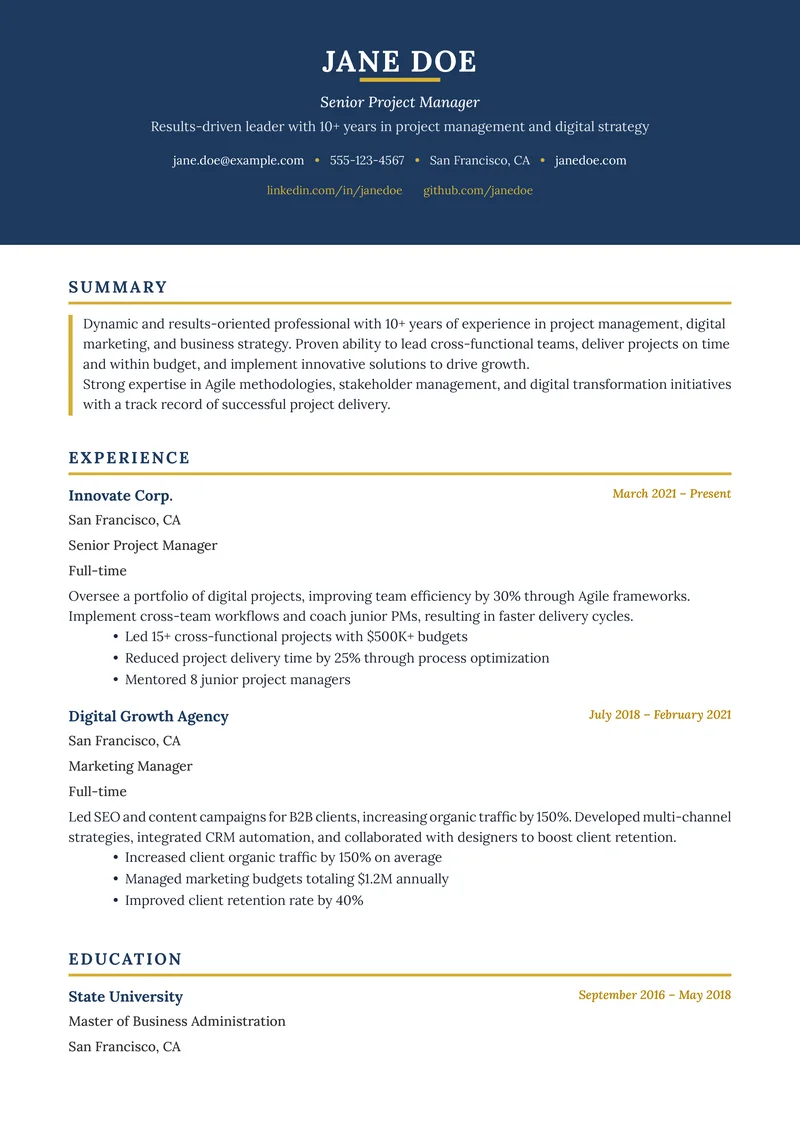
Build Your Perfect Resume
Create an ATS-optimized resume with our AI-powered builder.
No signup required.Start Building FreeExplore Resources
Enjoyed this article?
Share it with your network