You've seen them everywhere. Coffee shop menus. Event tickets. Museum exhibits.
But on a resume?
It sounds futuristic. Maybe even clever. A tiny square that links straight to your portfolio, LinkedIn, or a dazzling video introduction.
But here's the uncomfortable question nobody seems to ask: Will anyone actually scan it?
Let's cut through the hype and figure out whether a QR code helps or hurts your chances.
The Verdict
- QR codes can work — but only in specific contexts
- ATS systems cannot read them (they're treated as images)
- Always include a plain text URL as backup
- Best for: creative, tech, and marketing roles
- Skip for: traditional industries, government, finance
- Build your resume with smart formatting →
The Case For QR Codes
Average resume scan time
Recruiters spend seconds on initial screening. A QR code adds a step — but if they're intrigued, it can be powerful.
Source: Eye-tracking studies
When They Actually Work
QR codes aren't inherently good or bad. Context is everything.
QR Codes Shine When
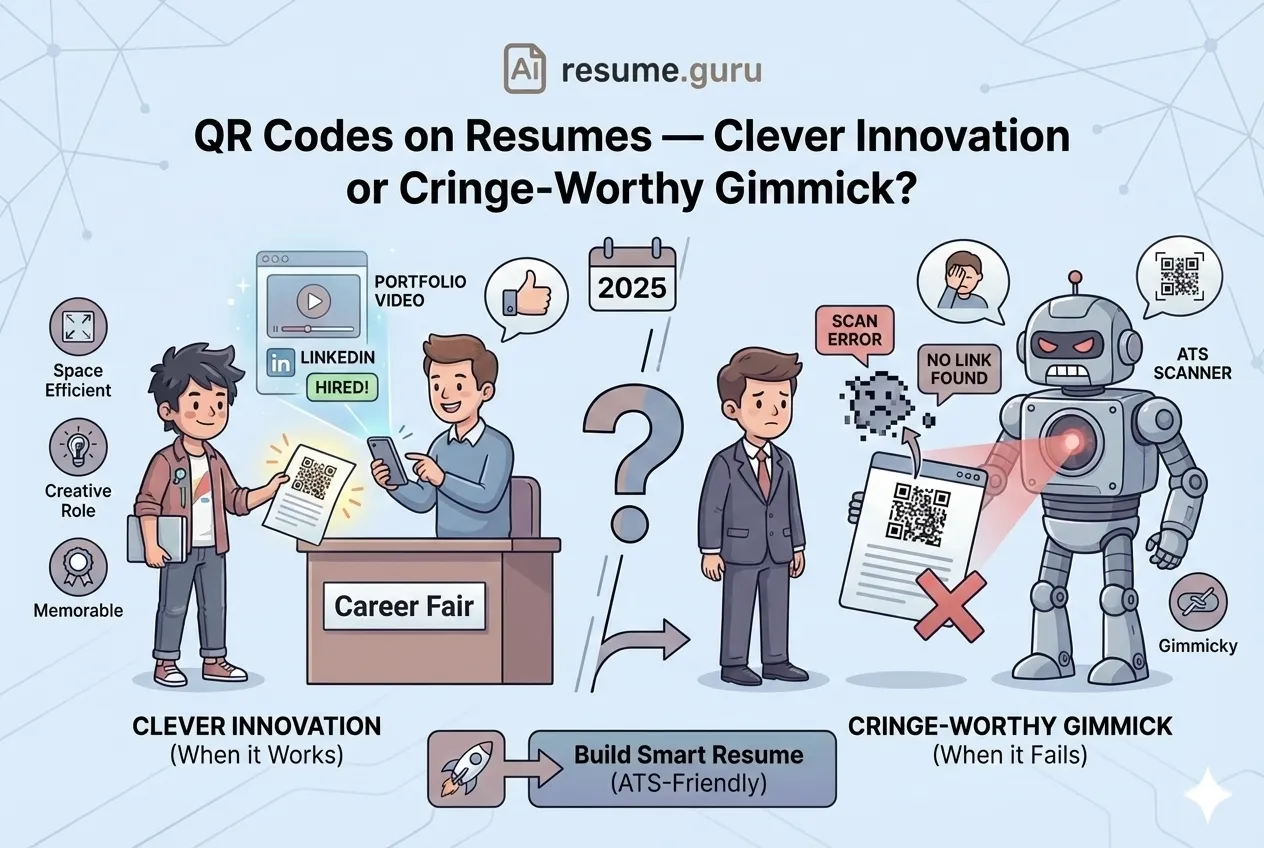
- You're applying for creative, tech, or marketing roles where innovation is valued
- The QR code links to a compelling portfolio or video introduction
- You're attending in-person events like career fairs where physical resumes are used
- The company culture explicitly values modern thinking and tech-savvy candidates
- You have limited resume space but need to showcase extensive work samples
The Real Benefits
1. Space Efficiency
Your resume has limited real estate. A QR code can link to:
- Full portfolio with 50+ projects
- Video introducing yourself
- Interactive website with testimonials
- Published papers or case studies
All of that, in a 1-inch square.
2. Shows Tech-Savviness
In 2026, being comfortable with digital tools is expected. A well-placed QR code signals you understand modern communication.
3. Makes You Memorable
Let's be honest — most resumes look the same. A tasteful QR code (emphasis on tasteful) can be a conversation starter.
The Case Against QR Codes
Here's where things get complicated.
QR Codes Fall Flat When
- You're applying through online systems (ATS will ignore them completely)
- Recruiters review resumes on their phones (can't scan a code on the same device)
- The linked content isn't polished or relevant
- You're targeting traditional industries where they seem gimmicky
- The QR code replaces important information instead of supplementing it
The ATS Problem
ATS QR code readability
Applicant Tracking Systems treat QR codes as images. They cannot extract or parse the embedded link.
Source: ATS parsing analysis
This is the dealbreaker for many candidates.
When you apply online, your resume goes through an ATS before any human sees it. The ATS:
- Scans text for keywords
- Extracts contact information
- Ranks you against other applicants
A QR code? It sees a blob of pixels. Your portfolio link might as well not exist.
The "Will They Actually Scan It?" Problem
Recruiters are busy. Adding an extra step — grabbing their phone, opening the camera app, scanning, waiting for the link — is friction.
Some will do it. Many won't.
I've scanned maybe 3 QR codes on resumes in my career. Unless it's for a creative role where I expect portfolio work, I just... don't.
If You Do It, Do It Right
Decided QR codes are right for your situation? Here's how to execute properly.
- 1
Link to high-value content only
Portfolio, LinkedIn, video intro. Not your Instagram or a generic 'about me' page.
- 2
Make it a dynamic QR code
Use a generator that lets you update the link later without reprinting. Bitly and QR Code Generator both offer this.
- 3
Test it obsessively
Print your resume and scan the code with multiple devices. If it doesn't work flawlessly, remove it.
- 4
Keep it small and tasteful
About 1 inch square. Top-right corner or footer area. Don't let it dominate your layout.
- 5
Always include a plain text URL
Write 'linkedin.com/in/yourname' next to or near the QR code. This is your backup for ATS and non-scanners.
What to Link To
| Good Links | Bad Links |
|---|---|
| LinkedIn profile (updated, professional) | Personal Instagram or TikTok |
| Online portfolio (polished, relevant work) | Generic personal website with no clear purpose |
| Video introduction (60-90 seconds, professional) | Long, unfocused YouTube video |
| GitHub/Dribbble with active projects | Outdated profiles with no recent work |
| Published articles or case studies | Random blog posts unrelated to the job |
Industry Guide: Should You Include One?
| Industry | QR Code? | Why |
|---|---|---|
| Creative (Design, Marketing, Advertising) | ✅ Yes | Portfolio is expected; QR code offers quick access |
| Tech (Software, Product, Data) | ✅ Situational | Works for GitHub/portfolio; less useful for backend roles |
| Finance & Accounting | ❌ Skip | Conservative industry; may seem unprofessional |
| Legal | ❌ Skip | Traditional field; focus on credentials over gimmicks |
| Healthcare | ❌ Skip | Professional credentials matter more than innovation |
| Academia | ✅ Situational | Link to publications or research portal can work |
| Government/Public Sector | ❌ Skip | Very traditional; likely to backfire |
The Hybrid Approach (Recommended)
Don't want to choose? Use both.
Include the QR code for in-person applications, career fairs, and networking events where you hand over physical resumes.
Also provide a clean hyperlinked URL that works digitally. This covers your bases for online applications where ATS is involved.
Pro Tip
Create two resume versions: one with QR code for physical distribution, one without for online applications. Our Resume Templates make it easy to manage multiple versions.
QR Code Resume Checklist
Before Adding That QR Code
- Industry/role actually values creative touches
- Linked content is polished and job-relevant
- QR code tested on multiple devices
- Plain text URL included as backup
- Size is appropriate (not dominating the page)
- Placement doesn't disrupt visual flow
- Dynamic QR (editable link) preferred over static
- Resume still works perfectly without scanning
Your Move
QR codes on resumes aren't universally good or bad. They're a tool — and like any tool, effectiveness depends on how and when you use it.
Use them if you're in a creative field, have compelling portfolio content, and are distributing physical resumes.
Skip them if you're applying online through ATS, targeting traditional industries, or don't have polished content to link to.
And whatever you do — don't let the QR code replace good resume fundamentals. Your achievements, bullet points, and keywords still matter more than any clever formatting trick.
Build a resume that works — with or without QR codes
Our AI Resume Builder creates ATS-optimized resumes with clean formatting that impresses both algorithms and humans. Add your portfolio link the right way.
Create My ResumeRelated Resources
- Hyperlinks in Resume PDFs — Another way to add clickable content
- Single vs. Double Column Layout — Format choices that affect ATS parsing
- Using Color on Resumes — When design helps vs. hurts
- Video Resume Guide — Another creative approach
- Resume Templates — Clean, ATS-friendly designs
- LinkedIn Bio Generator — Polish the profile you're linking to
- Resume Examples — See effective formatting in action
- Keyword Scanner — Ensure your resume is ATS-optimized
Frequently Asked Questions
Can ATS systems read QR codes?
No. ATS treats QR codes as images and cannot extract the embedded link. Always include a plain text URL as a backup — never rely solely on the QR code to convey important information.
Where should I place a QR code on my resume?
The header or footer area works best. Top-right corner is a common choice. Keep it small (roughly 1 inch square) so it doesn't distract from your content.
What should my QR code link to?
Your LinkedIn profile, online portfolio, personal website, or a video introduction. Make sure the linked content is polished and relevant to the job you're applying for.
Are QR codes appropriate for all industries?
No. They work well in creative, tech, and marketing roles where innovation is valued. For traditional industries like finance, law, or government, skip the QR code — it may seem gimmicky.
Build Your Perfect Resume
Create an ATS-optimized resume with our AI-powered builder.
No signup required.Start Building FreeExplore Resources
Enjoyed this article?
Share it with your network