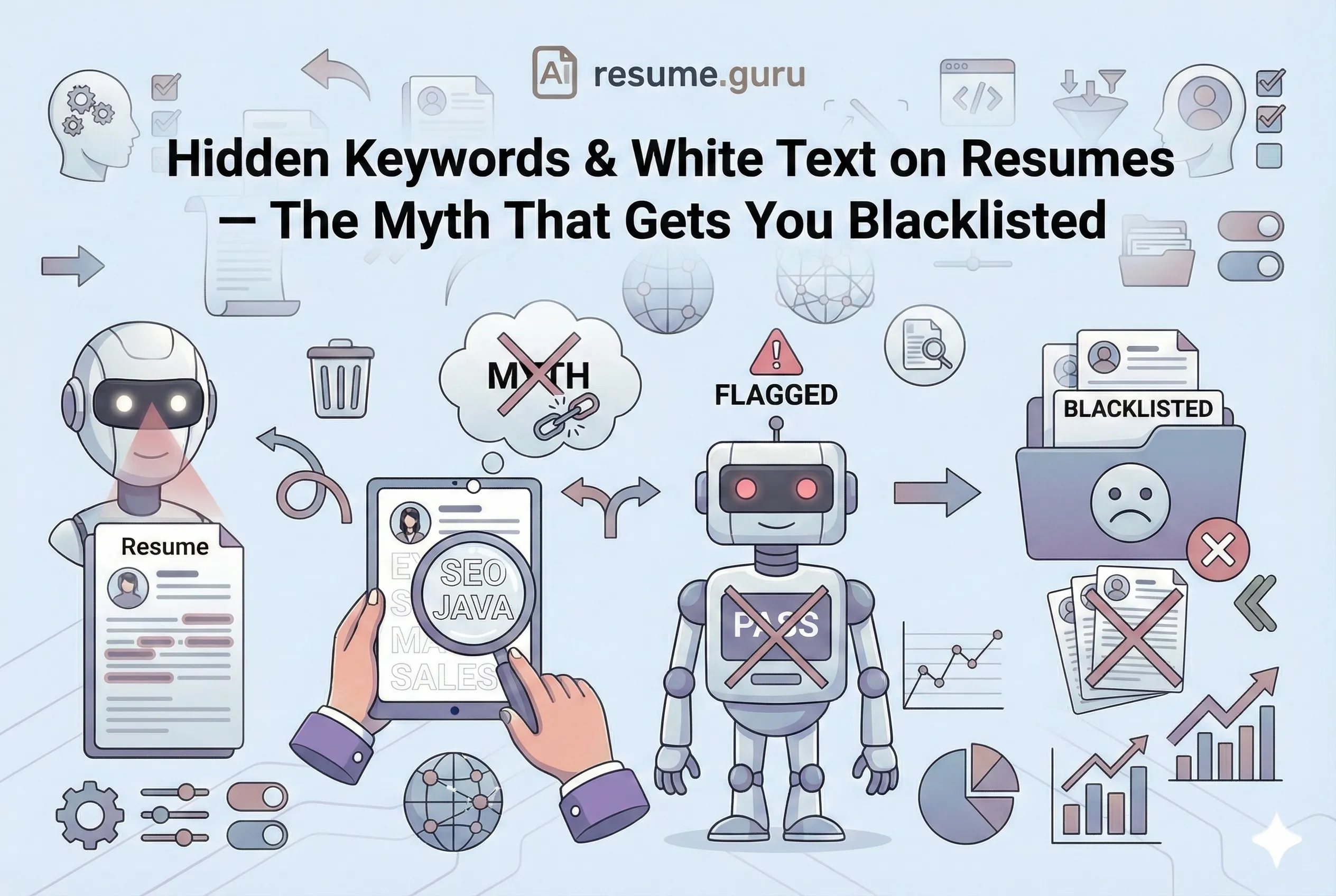
Someone on Reddit told you about a hack: paste the entire job description into your resume in white (or invisible) text. The ATS will think you’re a perfect match. Genius, right?
Wrong. Dead wrong.
This trick worked briefly around 2010. Today, it’s the fastest way to get your resume thrown in the trash — and possibly blacklisted from the company forever.
Let me explain why.
Skip the Games
- White text keywords are easily detected by ATS and recruiters
- Getting caught = immediate rejection + potential blacklisting
- Modern ATS evaluate context, not just keyword presence
- Natural keyword integration works better and is completely safe
- Learn how to optimize your resume properly →
The “White Text Hack” Explained
For those who haven’t heard this advice (count yourself lucky), here’s the theory:
There’s a legitimate version of what this hack promises: score your resume now and you’ll see your real keyword coverage instead of a fake one.
- Copy the job description or a list of keywords
- Paste them into your resume
- Set the font color to white (or the same color as your background)
- The ATS “sees” the keywords; the human recruiter doesn’t
- You get magical 100% keyword matches on every application
Sounds clever. Sounds efficient. Sounds like a great way to never get hired.
Detectability by modern ATS
Modern ATS extract and parse ALL text, regardless of formatting or color. Your 'hidden' keywords appear as a visible block of text.
Source: ATS industry research, 2024
Why This Trick Failed (Around 2012)
ATS software evolved. Quickly.
The trick never worked in Europe either, where the European CV format and Europass conventions put even more weight on structured, verifiable fields.
Problem 1: ATS Parse All Text Equally
Modern ATS don’t render your resume like a human viewer does. They extract raw text content. That means:
- White text becomes normal text
- Your hidden keyword block appears as a massive, context-less blob
- The system sees:
management leadership Excel SQL Python communication team player results-driven innovative strategic...
Not hidden at all. Just weird.
Problem 2: Recruiters Can Click “Select All”
We see the white text trick weekly. Ctrl+A, and there it is. It looks desperate and dishonest. Immediate rejection.
Even if the ATS doesn’t flag it, the human reviewer will. All they have to do is:
- Select all text (Ctrl+A / Cmd+A)
- Copy-paste into another document
- Change the font color
Your “invisible” keywords become very visible — along with your attempt at manipulation.
Problem 3: Context Matters Now
ATS in 2026 aren’t just counting keywords. As AI-driven screening has matured, they’re evaluating:
- Where keywords appear (summary, experience, skills)
- How keywords are contextually used
- Whether your claims are consistent with your experience
A block of random keywords has zero context score. The system knows something’s wrong.
What Actually Happens When You Get Caught
None of these risks are worth it when you can honestly tailor your resume to the job instead.
Scenario 1: Immediate Rejection
Your resume gets flagged during ATS processing. It never reaches a human. You think you’re being ghosted — in reality, you were disqualified before anyone saw your name.
Scenario 2: Manual Discovery
A recruiter opens your resume, notices strange spacing at the bottom, selects all text, and sees your keyword dump. Your application goes from “maybe” to “absolutely not.”
Scenario 3: Blacklisting
Some companies flag candidates for deceptive practices. Your email, phone number, or name goes into a “do not consider” list. You’re blocked from future applications — even legitimate ones.
Scenario 4: Reputation Damage
Recruiters talk. Especially in specialized industries. One flagged candidate at a tech giant can become known across multiple companies in the same network.
”But I Heard It Works…”
You might hear from someone who swears the white text trick got them a job.
Here’s what probably actually happened:
- They were qualified anyway — The keywords weren’t necessary
- The company used outdated ATS — Rare, but possible
- They’re misremembering — Correlation isn’t causation
- They’re lying on the internet — Shocker, I know
For every “success story,” there are thousands of silent rejections from people who assumed the same thing would work for them.
What Modern ATS Actually Look For
Let’s demystify what ATS are really evaluating:
Every item below rewards genuine phrasing, so write stronger resume bullets rather than padding a hidden block.
- 1
Keyword presence
Yes, keywords matter — but they need to appear in meaningful sections, not hidden blocks.
- 2
Keyword context
Are you using 'Python' in a job description, or just stuffing it? ATS can tell.
- 3
Consistency
If you claim '10 years of machine learning' but your job history is all retail, flags go up.
- 4
Formatting clarity
Can the ATS parse your sections correctly? Hidden text often breaks parsing.
- 5
Match score
How well does your actual experience align with the job requirements?
The goal isn’t to trick the ATS. It’s to clearly communicate your qualifications so the ATS can accurately score you — and to understand what a good match score actually looks like before you start optimizing.
What Actually Works: Ethical Keyword Optimization
Here’s how to boost your keyword matching without any risk — and our full guide to resume keywords goes deeper on each step:
1. Mirror the Job Description Language
| Job Description Says | Your Resume Should Say |
|---|---|
| Project Management experience | Project Management: Led 5+ cross-functional initiatives |
| Proficient in SQL | SQL: Advanced (PostgreSQL, MySQL, query optimization) |
| Experience with agile methodologies | Agile Methodologies: Scrum Master certified, 3 years daily standups |
2. Use a Skills Section Strategically
Your skills section is the natural home for keywords. Our Skills Finder helps you discover industry-specific skills to add:
Technical Skills: Python, SQL, Tableau, Power BI, Excel (Advanced), Google Analytics, Salesforce
Soft Skills: Cross-functional collaboration, stakeholder communication, data storytelling
Certifications: PMP, Google Analytics Certified, HubSpot Content Marketing
3. Weave Keywords Into Experience Bullets
Do This
“Managed stakeholder communication for product launch, presenting data-driven insights to C-suite using Tableau dashboards.”
Keywords integrated naturally. Context provided. ATS happy. Human impressed. Better still, quantify the achievement — evidence beats keyword density every time.
Not This
“Worked with stakeholders and data and Tableau and Excel and PowerPoint and leadership and strategy and…”
Keyword stuffing is obvious and annoying.
4. Customize for Each Application
The best ATS strategy is also the best job search strategy:
- Read the job description carefully
- Identify the key requirements
- Adjust your resume to emphasize relevant experience
- Use their terminology (not synonyms)
Pro Tip
Use our Keyword Scanner to compare your resume against job descriptions. It shows exactly which keywords you’re missing — so you can add them naturally.
The Right Way vs. The Wrong Way
| ❌ Wrong (White Text) | ✅ Right (Natural Integration) |
|---|---|
| Paste invisible keywords | Add keywords to relevant sections |
| No context, just terms | Keywords with achievements and metrics |
| Same resume for every job | Tailored resume for each application |
| Risk of blacklisting | Professional and effective |
| Tricks the ATS (maybe) | Helps the ATS score you accurately |
Quick Audit: Is Your Resume Clean?
Keyword Integrity Check
- No hidden or invisible text anywhere
- No text matching the background color
- No invisible font (size 1, white, etc.)
- Keywords appear naturally in context
- Each keyword relates to actual experience
- Ctrl+A test shows no hidden content
Real Talk: Why Shortcuts Don’t Work
Here’s the uncomfortable truth: there’s no hack that replaces genuine qualifications.
If you’re not getting callbacks, the answer isn’t trickery. It’s usually one of these:
- Your resume isn’t tailored to specific jobs
- Your keywords don’t match because the role genuinely isn’t a fit
- Your experience isn’t communicating impact clearly
- Your resume has formatting issues that break ATS parsing
All of these are fixable with legitimate optimization.
The white text trick is seductive because it promises easy results. But job hunting doesn’t work that way. Companies invest in sophisticated tools specifically to filter out manipulation — and those tools are getting smarter every year.
Your Move
Look, I get it. Job hunting is exhausting. When you’ve sent 100 applications with no response, a “hack” sounds tempting.
But shortcuts that damage your reputation aren’t worth it. One blacklisting can cost you opportunities you’ll never even know you missed.
Instead, invest your time in legitimate optimization:
- Customize your resume for each application
- Use natural keyword integration
- Focus on communicating impact and results
- Test your resume with proper tools
That’s what actually works.
Optimize your resume the right way
Our Keyword Scanner shows exactly what's missing — without any tricks. Match job descriptions naturally and effectively.
Scan My Resume FreeRelated Resources
- ATS-Friendly Formatting — What characters and layouts pass parsing
- Resume Abbreviations Guide — Keyword formatting that works
- Resume Summary Generator — Write a compelling summary naturally
- Bullet Point Generator — Create keyword-rich experience bullets
- Job Matcher Tool — Compare your resume to specific job postings
- AI Resume Builder — Build optimized resumes without gaming the system
- Resume Templates — Clean, ATS-friendly designs
- Resume Examples — See proper keyword integration in context
Frequently Asked Questions
Does hiding white text keywords still work?
No. Modern ATS systems detect and flag hidden text. Even if they don't, recruiters can easily see it by selecting all text (Ctrl+A). It's considered deceptive and often leads to immediate rejection.
Can ATS detect white font on a resume?
Yes. Most ATS parse all text regardless of color. The hidden keywords appear as a random block of text, immediately signaling manipulation. Some ATS specifically flag this behavior.
What happens if I get caught using hidden keywords?
Best case: immediate rejection. Worst case: blacklisting from the company for all future positions. Some recruiters share flagged candidates with their networks.
What should I do instead to pass ATS?
Naturally integrate relevant keywords into your experience, skills, and summary sections. Match terminology from the job description. Use our Keyword Scanner to identify gaps without manipulation.
Put this into practice
You have the theory. These take a few minutes and work on the resume you already have.