What Are the Best ATS-Friendly Fonts for a Resume?
The short answer: the best ATS-friendly resume fonts in 2026 are Calibri, Arial, and Helvetica for modern roles, plus Georgia or Garamond for traditional industries. Set body text at 10-12pt and headings at 14-16pt. All five are universally installed, parse reliably in major ATS platforms, and stay readable on screen and in print.
Choosing between Times New Roman, Arial, or Calibri? The right font affects both ATS parsing and recruiter first impressions. Pick the wrong one, and your resume gets scrambled by the ATS or ignored by recruiters who find it hard to read. Already have a draft? Score your resume now to see whether your typeface is flagged.
Don’t want to think about it? open a resume with an ATS-safe font already applied — every template ships with the typeface set at the right size, so you can’t get this wrong.
TL;DR: Top 3 ATS Fonts for 2026
- Calibri: Modern, clean, and universally accepted default.
- Arial: The safest bet for maximum compatibility.
- Helvetica: sophisticated, professional, and design-forward.
Why Font Choice Matters for ATS
Applicant Tracking Systems (ATS) parse your resume to extract skills, experience, and contact info. Complex, decorative, or non-standard fonts can confuse these systems, turning your carefully crafted experience into gibberish.
Flag bad fonts
of hiring managers consider inappropriate font choices a resume problem — 11% call it an outright deal-breaker
Source: ResumeGenius Hiring Trends Survey, 2024
To pass the scan, you need “safe” fonts—standard typefaces that every computer and ATS software can recognize. Most builders now ship ATS-safe defaults, so it’s worth a moment to compare against Resume Genius and see what each one applies for you.
Top 10 ATS-Friendly Fonts for 2026
These fonts are standard system fonts that ATS platforms are designed to handle. They’re universally installed, widely used, and recommended by career professionals.
The Sans-Serif Leaders (Modern & Clean)
Sans-serif fonts are preferred by 70% of recruiters for their clean, modern look on digital screens.
Best Sans-Serif Options
Senior Software Engineer with 5+ years of experience.
Senior Software Engineer with 5+ years of experience.
Senior Software Engineer with 5+ years of experience.
Senior Software Engineer with 5+ years of experience.
Senior Software Engineer with 5+ years of experience.
Senior Software Engineer with 5+ years of experience.
Senior Software Engineer with 5+ years of experience.
- Calibri: The former Microsoft Word default. It’s subtle, readable, and highly efficient with space.
- Arial: Not exciting, but it works everywhere. Use this if you’re risk-averse.
- Helvetica: A favorite of designers. It’s professional without being stuffy.
- Roboto: Clean lines and open curves. Great for tech roles.
- Verdana: Designed specifically for screen reading. It has wide spacing, so it takes up more room.
The Serif Classics (Traditional & Trustworthy)
Serif fonts (with the little “feet” on letters) convey authority, tradition, and reliability. Great for law, finance, and academia. Whichever family you pick, keep your hyperlinks in resume PDFs legible in it too.
Best Serif Options
Managed a portfolio of $5M in assets.
Managed a portfolio of $5M in assets.
Managed a portfolio of $5M in assets.
Managed a portfolio of $5M in assets.
- Garamond: Elegant and timeless. More distinctive than Times New Roman.
- Georgia: A sturdy serif designed for screens. Excellent readability at small sizes.
- Cambria: A modern serif that looks crisp on screens and in print.
- Times New Roman: The old standard. Safe, but frequent overuse can make it look “dated” or “lazy” to some modern startups.
10. Lora
The font you are reading right now! Lora (the body font of this blog) is a contemporary serif with roots in calligraphy. It’s surprisingly ATS-friendly and unique.
Best Resume Fonts for 2026, Ranked
The list above groups fonts by style. If you just want the single best-to-worst countdown with a quick 2026 verdict on each, here it is. Every font on this list is ATS-safe, so you can pick by feel and fit.
- Calibri: The safest “looks current” pick. The irony of 2026: Microsoft replaced it as their default (more on that below), yet it stays the resume gold standard. Clean, warm, compact.
- Garamond: The best serif. Elegant, space-efficient, and the font to reach for when you want classic authority without looking dated.
- Helvetica: The designer’s favorite. Crisp and confident, it signals taste and modernity.
- Arial: The zero-risk universal choice. Helvetica’s everywhere-installed cousin: neutral and dependable.
- Georgia: A serif built for screens. Warm and highly readable, great when most reviewers read on a monitor.
- Cambria: A crisp modern serif that holds up beautifully in print.
- Aptos: Microsoft 365’s new default (since January 2024). The genuine “2026” pick for early adopters, just export as PDF so it renders for everyone.
- Lato: A popular, clean Google Font. A great choice if you build your resume in Google Docs.
- Verdana / Tahoma: Ultra-legible but wide, so they eat horizontal space. Use only when readability outweighs density.
- Times New Roman: Still safe, but loaded. See the dedicated debate below.
The 2026 Top Picks (Sans-Serif)
Led a team of 8 to ship a product used by 2M users.
Led a team of 8 to ship a product used by 2M users.
Led a team of 8 to ship a product used by 2M users.
Led a team of 8 to ship a product used by 2M users.
Modern Serif Alternatives to Times New Roman
Drove $4.2M in new revenue across the EMEA region.
Drove $4.2M in new revenue across the EMEA region.
Drove $4.2M in new revenue across the EMEA region.
The Calibri vs Aptos Plot Twist
Here’s the 2026 wrinkle most font guides miss. In January 2024, Microsoft replaced Calibri with Aptos as the default Microsoft 365 font (Microsoft Design; CNN, 2024), ending Calibri’s reign as the default since 2007.
What that means for your resume: Calibri is no longer the font everyone has by accident. Choosing it is now a deliberate choice, and still a good one. Aptos is the genuinely current option, but it’s newer to applicant tracking systems, so if you use it, export your resume as a PDF so it renders the way you intend rather than getting swapped for a fallback font.
For most 2026 applications, Calibri remains the safer, more universally recognized pick. Reach for Aptos when you want to look current and you’re confident the file will be read as a PDF.
Serif vs Sans-Serif: What Signal Are You Sending?
ATS-safety is settled (both styles parse fine). The real question between serif and sans-serif is perception: what your font quietly says about you before a recruiter reads a single bullet.
Sans-Serif (Calibri, Arial, Helvetica)
- Reads as modern and clean
- Default choice for tech, startups, marketing
- Excellent on screens
- Feels approachable
Serif (Garamond, Georgia, Cambria)
- Reads as authoritative and traditional
- Strong fit for law, finance, academia
- Elegant in print
- Feels established
Neither is “better.” Match the font to the room: a sans-serif for a design or tech role, a serif for a courtroom or a tenured department. (The “cons” column here is not a list of flaws, it’s what a serif signals, which is exactly right for the traditional industries above.)
Fonts to Avoid in 2026
Do Not Use These
Avoid these fonts to keep your resume professional and ATS-readable.
- Comic Sans: Unprofessional and childish.
- Papyrus: Hard to read and mocked in pop culture.
- Impact: Too heavy and aggressive for body text.
- Script Fonts: (e.g., Brush Script) ATS cannot read these.
- Courier: Takes up too much space and looks like a typewriter from 1990.
Times New Roman vs Arial vs Calibri: The Full Comparison
This is the most searched resume font question, so let’s settle it:
| Factor | Times New Roman | Arial | Calibri |
|---|---|---|---|
| Type | Serif | Sans-serif | Sans-serif |
| ATS compatibility | ✅ Excellent | ✅ Excellent | ✅ Excellent |
| Modern perception | Dated for most industries | Neutral, professional | Modern, clean default |
| Screen readability | Good but dense | Excellent | Excellent |
| Space efficiency | Most compact — fits more text | Medium | Medium-compact |
| Best for | Legal, academic, government | Universal safe choice | Most jobs in 2026 |
| Recruiter reaction | "Safe but unimaginative" | "Clean, no complaints" | "Standard, professional" |
| Installed on | Every computer | Every computer | Windows/Mac (since 2007) |
The Verdict
Calibri is the best default choice for 2026. It’s the Microsoft Office default since 2007, universally installed, and reads beautifully on screens. Arial is the safest backup if you want absolute zero risk. Times New Roman is only the right choice for legal, academic, or very traditional government roles.
The Quick Decision Rule
Is the company modern or traditional? Check their website. If it uses clean sans-serif fonts → use Calibri or Arial. If it looks formal and traditional (law firm, government agency) → Times New Roman or Georgia are appropriate.
Is Times New Roman Dead in 2026?
This is the font question people argue about most, so it deserves a straight answer instead of a shrug.
The case it’s alive: It’s universally installed, the most compact of the common fonts (it fits more text per page), perfectly ATS-safe, and still expected in law, government, and academia.
The case it’s dead: Many recruiters now read it as the “I didn’t think about my resume” default. Major resume sites actively discourage it, noting it has fallen out of favor and can give a resume a dated feel.
The Verdict
Times New Roman isn’t dead, but it’s no longer a safe default. It’s become a deliberate signal. Use it on purpose for law, government, or academia where it’s expected. Everywhere else, if you want the same gravitas without the baggage, switch to Garamond or Cambria.
The Times New Roman Question
Same gravitas, fresher look.
Same gravitas, fresher look.
Which Font for Which Industry?
| Industry | Best Fonts | Why |
|---|---|---|
| Tech & Startups | Calibri, Roboto, Helvetica | Modern, screen-optimised, matches company culture |
| Finance & Banking | Garamond, Georgia, Calibri | Traditional authority with readability |
| Legal | Times New Roman, Garamond | Conservative profession expects classic fonts |
| Healthcare | Arial, Calibri, Verdana | Clean readability, universal compatibility |
| Creative & Design | Helvetica, Roboto, Lato | Design-forward but still ATS-safe |
| Government | Times New Roman, Arial | Conservative, standard system fonts |
| Academic/Research | Times New Roman, Garamond, Georgia | Matches academic convention |
| Marketing & Sales | Calibri, Arial, Roboto | Modern and clean, matches brand sensibility |
| Education | Georgia, Calibri, Arial | Warm but professional |
For the right margin settings to pair with these fonts, see our dedicated formatting guide. And make sure you’re using ATS-safe characters throughout — the wrong bullet point can break parsing even with a perfect font choice.
Font Safety Across Different ATS Systems
Modern ATS platforms like Workday and Greenhouse generally handle standard fonts well. Older systems (Taleo, some government platforms) are stricter and more likely to strip or replace non-standard fonts.
The safe rule: Stick to Arial, Calibri, Helvetica, Georgia, or Times New Roman and you’ll be compatible with virtually every ATS. Custom or downloaded fonts (Lato, Roboto, etc.) work in most modern ATS but may revert to a default font on older systems — which can shift your formatting.
If you’re applying to large enterprises, government agencies, or companies with older hiring infrastructure, stick to the five core fonts above. For tech startups using modern ATS, you have slightly more flexibility.
Use our Keyword Scanner to test how your resume parses — it checks both keyword matching and formatting compatibility.
Best Practices for Font Styling
It’s not just which font you use, but how you use it.
Resume Typography Checklist
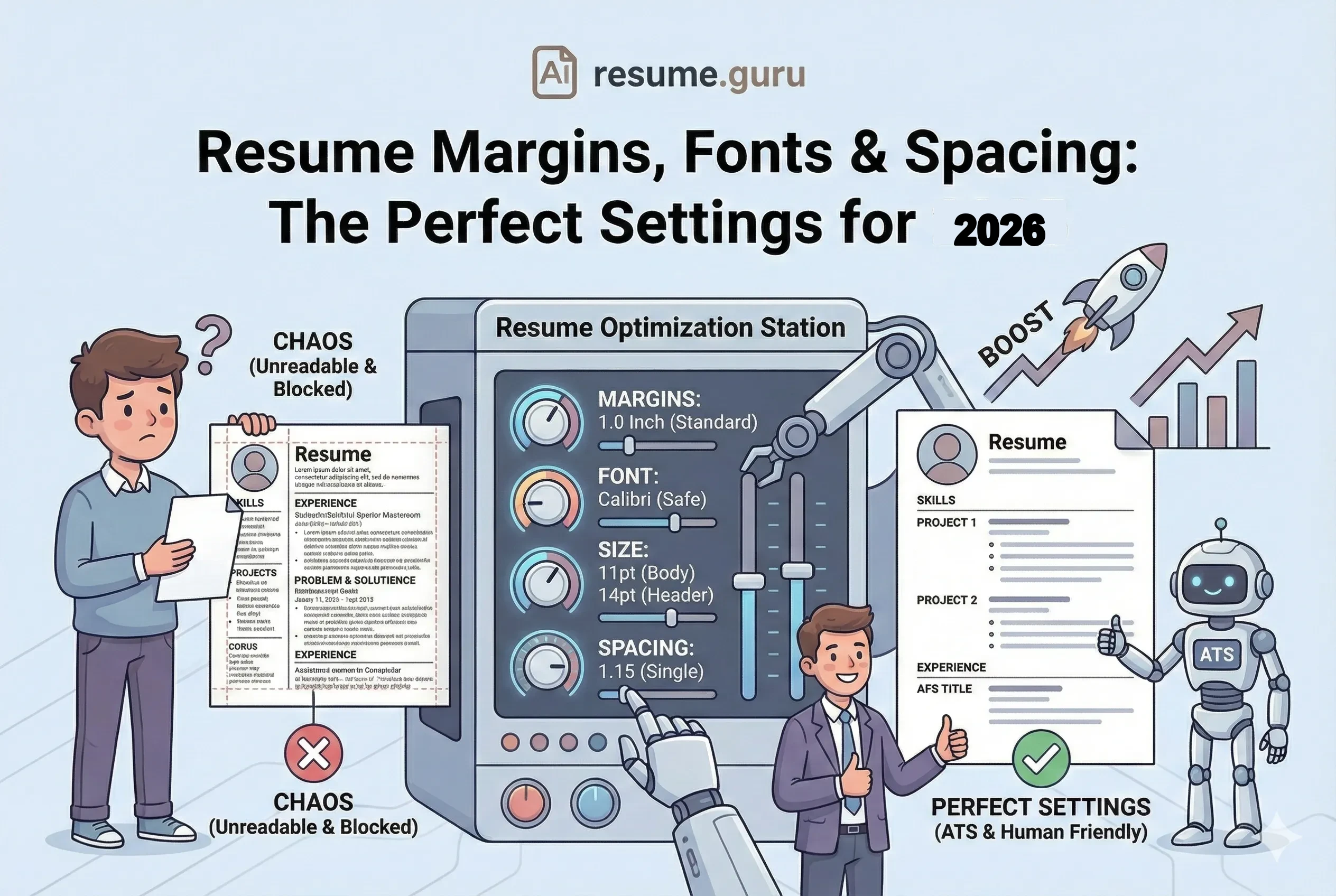
- Body text size: 10-12pt
- Headings size: 14-16pt
- Name size: 18-24pt
- Line spacing: 1.15 to 1.5
- Stick to 1 or 2 fonts max (one for headers, one for body)
Pro Tip: Font Pairing
If you want to use two fonts, pair a Sans-Serif header (like Arial) with a Serif body (like Georgia). This creates a nice visual hierarchy.
If you would rather not set any of this by hand, every option in our collection of ATS-safe resume templates already pairs a compliant font with the sizes in the checklist above.
Font Tips for Specific Situations
Exporting Fonts Correctly
Your font choice only matters if it survives the export. When saving as PDF from Word, fonts are usually embedded. But when saving from Google Docs, only Google Fonts are available — which excludes Calibri and Helvetica.
Google Docs users: Arial and Roboto are your best options (both are Google Fonts). For the full guide on how fonts behave across file types, see PDF vs Word resume formats.
International Applications
Font expectations vary slightly by market:
- UK: Arial, Calibri, Garamond preferred. See our UK CV format guide.
- Germany: Conservative fonts (Arial, Times New Roman). Photo and Lebenslauf format matter more than font choice.
- Europe (Europass): The official Europass platform uses its own template fonts — if using Europass, don’t worry about font selection.
Common Font Mistakes
Mistake 1: Using a Font Nobody Has
If you use a downloaded font like Montserrat and send a .docx file, the recruiter’s computer may not have it — and Word will substitute a default font, breaking your formatting. Stick to system fonts or export as PDF.
Mistake 2: Mixing Too Many Fonts
More than 2 fonts creates visual chaos. Use one font for everything, or at most one for headings and one for body text. See our margins and spacing guide for the full typography hierarchy.
Mistake 3: Shrinking to 9pt to Fit More Content
Never go below 10pt. If your content doesn’t fit, cut weaker bullet points rather than shrinking font size. Recruiters skip resumes they can’t comfortably read.
Mistake 4: Using Decorative Characters with Good Fonts
A great font doesn’t help if you fill your resume with characters that break ATS. Decorative bullets, emojis, and smart quotes can still cause parsing failures regardless of your font choice.
If you’re not sure which of these four you’re guilty of, roast your resume and let the feedback point at the typography.
The Bottom Line
Font choice is a quick decision with lasting impact. Pick the right one and never think about it again:
- Most jobs: Calibri at 11pt
- Traditional roles: Georgia or Times New Roman at 11pt
- Tech/design: Helvetica or Roboto at 11pt
- When in doubt: Arial at 11pt (literally nothing goes wrong)
Pair it with proper margins, strong action verbs, and quantified achievements — and your resume will look professional and parse perfectly.
Skip the font decision entirely
Our resume templates come with optimal font choices pre-configured — ATS-tested, professionally styled, and ready to fill. Just add your content.
Browse Free TemplatesRelated Resources
- Resume Margins & Spacing — Exact margin, size, and spacing settings
- Special Characters & ATS — Characters that break ATS parsing
- ATS Score Guide — What score you need to pass
- Single vs Double Column — Layout choices and ATS impact
- PDF vs Word Resume — Best format to preserve fonts
- Using Color on Resume — Safe colour choices for ATS
- UK CV Format — Font expectations for British CVs
- Keyword Scanner — Check ATS compatibility
- Resume Templates — Pre-formatted with optimal fonts
- Resume Editor — Build with an ATS-safe font preset
- Resume Examples — See font choices in context
Frequently Asked Questions
What is the best font for ATS resume 2026?
Calibri and Arial are the top ATS-friendly fonts for 2026 due to their high readability and universal compatibility.
Is Times New Roman still good for resumes?
Yes, Times New Roman is a classic, ATS-safe choice, but some recruiters find it outdated. Consider serif alternatives like Georgia or Garamond.
What font size should I use for my resume?
Use 10-12pt for body text and 14-16pt for headings to ensure readability for both ATS and humans.
What font should I use for a resume in the US?
In the US, Calibri, Arial, and Helvetica are preferred for their clean, modern look. Times New Roman is acceptable but seen as traditional. Most US companies use ATS like Workday and Greenhouse that parse these fonts perfectly.
What resume font is best for UK CVs?
UK employers prefer classic fonts like Arial, Calibri, or Garamond. Times New Roman remains popular in legal and finance sectors. Avoid decorative fonts—British recruiters value readability.
Which fonts work best for Australian resumes?
Australian employers prefer Calibri, Arial, or Helvetica. Keep it simple and professional—fancy fonts are rarely used. Use 11-12pt for body text as Australian resumes tend to be 2-3 pages.
Should I use different fonts for tech vs corporate jobs?
Yes. Tech companies (Google, startups) favor modern sans-serif fonts like Roboto or Helvetica. Corporate and finance roles prefer traditional options like Garamond or Times New Roman.
Did Microsoft replace Calibri as the default font?
Yes. Aptos became the default Microsoft 365 font in January 2024, ending Calibri's run as the default since 2007. Calibri is still installed and remains an excellent resume choice, so picking it is now a deliberate decision rather than the automatic default.
Is Times New Roman dead for resumes in 2026?
Not dead, but no longer a safe default. Times New Roman is still ATS-safe and expected in law, government, and academia. Everywhere else, many recruiters read it as dated, so Garamond or Cambria give you the same gravitas with a fresher look.
What is the most modern resume font for 2026?
Aptos (Microsoft's new default since January 2024) and clean sans-serifs like Helvetica and Lato read as the most current. Calibri remains the safest modern-looking choice that every ATS recognizes.
Put this into practice
You have the theory. These take a few minutes and work on the resume you already have.