You're qualified for the job.
You know it. Your experience matches. Your skills align. You're a great fit.
And yet... silence. No interview. Not even a rejection email.
Here's what likely happened: the ATS filtered you out before a human ever saw your resume. Not because you weren't qualified—but because you didn't speak its language.
Of resumes rejected
Before reaching a human reviewer
Source: Jobscan Research
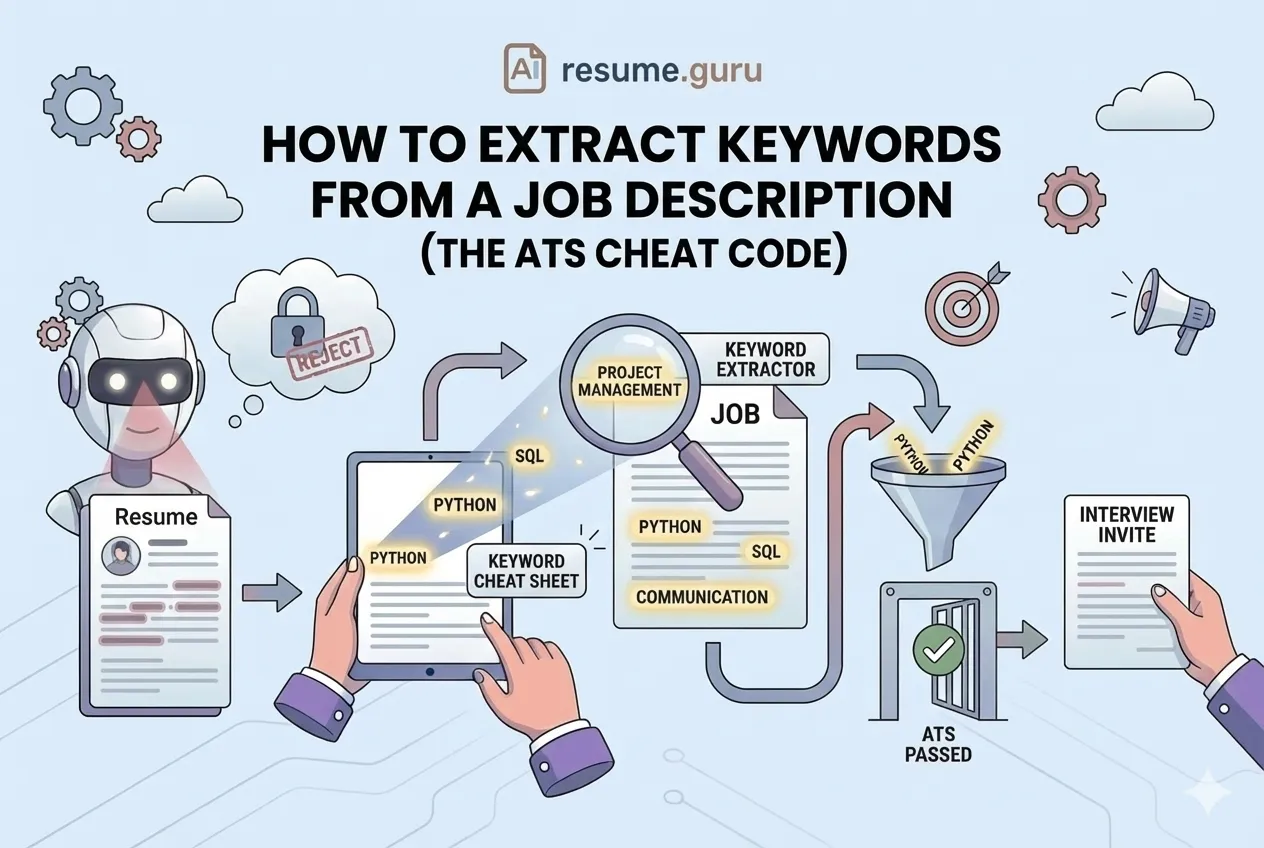
The solution isn't to guess what the ATS wants. It's to extract exactly what it's looking for from the source—the job description itself.
The Keyword Strategy
- Keywords = the access codes that unlock ATS gates
- The job description tells you exactly what to include
- Exact matches score higher than synonyms
- Most people apply blind—this gives you the edge
Why Keywords Matter
Every Applicant Tracking System works the same basic way: it scans your resume, looks for specific words and phrases, and scores you against the job requirements.
The higher your match score, the more likely a human sees your application.
More likely to interview
Candidates who include the exact job title from the posting
Source: Jobscan
Keywords aren't optional. They're how the game is played.
The Three Types of Keywords
Not all keywords are equal. Job descriptions contain three categories you need to capture:
1. Hard Skills (Technical Keywords)
Specific tools, technologies, certifications, and measurable competencies.
Examples:
- Python, JavaScript, React
- Salesforce, HubSpot, Google Analytics
- CPA, PMP, AWS Certified
- Excel, SQL, Tableau
- Forklift operator, HIPAA compliance
Where to Put Them
Skills section, experience bullets, and—for key ones—your professional summary. Include both spelled out and abbreviated (like "Search Engine Optimization (SEO)") to catch all search patterns.
2. Soft Skills (Trait Keywords)
Interpersonal abilities and workplace behaviors the employer values.
Examples:
- Leadership, collaboration, communication
- Problem-solving, critical thinking, adaptability
- Time management, attention to detail
- Cross-functional coordination, stakeholder management
These often appear in the "about you" or "qualifications" sections of job postings. They're less searchable in ATS but matter to human reviewers.
3. Job Title Keywords
The exact titles used in the posting—and industry-standard variations.
Examples:
- "Marketing Manager" (not "Marketing Lead")
- "Software Engineer" (not "Developer")
- "Customer Success Manager" (not "Account Manager")
Title Matching Matters
If the job posting says "Marketing Coordinator" and your resume says "Marketing Assistant," the ATS may not recognize the match. When accurate, use their exact title language.
How to Extract Keywords: The Manual Method
This takes 10-15 minutes—and it's the foundation of every tailored application.
- 1
Read the full job description twice
First for overall understanding. Second for keyword identification.
- 2
Highlight everything repeated
If a skill or phrase appears multiple times, it's a priority keyword.
- 3
Mark 'required' vs 'preferred'
Required items are mandatory keywords. Preferred items are bonus points.
- 4
Note specific tools and certifications
Technology names, platforms, and credentials mentioned.
- 5
Capture action verbs they use
Manage, develop, lead, analyze, execute—mirror their language.
- 6
Identify industry jargon
Field-specific terms that signal you 'speak the language.'
The Highlighter Pattern
As you read, highlight (digitally or mentally) in categories:
| Category | What to Look For | Example |
|---|---|---|
| Repeated Terms | Words appearing 2+ times | "stakeholder" in 4 places |
| First Paragraph | Top skills mentioned upfront | "data-driven decision making" |
| Required Section | Non-negotiables | "3+ years experience," "CPA required" |
| Preferred Section | Nice-to-haves (worth including) | "Experience with Tableau a plus" |
| Job Title | Exact title used | "Marketing Coordinator" |
How to Extract Keywords: The Tools Method
Don't want to do it manually? Tools can help:
Keyword Scanners
Paste your resume and the job description. The tool identifies gaps and missing keywords.
Our Keyword Scanner does exactly this—showing you what's on the job description that's missing from your resume, with specific suggestions for where to add them.
AI Assistants
Prompt ChatGPT, Claude, or similar:
"Extract the top 10-15 keywords from this job description, categorized by hard skills, soft skills, and tools: [paste JD]"
You'll get a structured list in seconds. But always verify—AI can miss context or include irrelevant terms.
Job Matchers
Our Job Matcher Tool goes beyond keywords—it analyzes how well your overall experience matches a role, not just keyword overlap.
Check your keyword match
Our Keyword Scanner shows exactly which terms you're missing—and where to add them.
Try Keyword ScannerWhere to Put Keywords in Your Resume
Extracting keywords is step one. Integration is step two. Here's where they go:
1. Professional Summary / Objective
Your most important keywords go here first. The summary is the first thing ATS scans and humans read.
Example
"Marketing Manager with 5+ years driving demand generation and pipeline growth in B2B SaaS. Expert in HubSpot, content marketing, and cross-functional collaboration."
Every bolded term is a keyword from a hypothetical job description.
2. Skills Section
A dedicated, bulleted list of hard skills. This is ATS's favorite section.
- List 10-15 skills
- Include exact terms from the JD
- Put highest-priority keywords first
3. Experience Bullets
Weave keywords into your achievement statements naturally.
| Weak (No Keywords) ❌ | Strong (Integrated Keywords) ✅ |
|---|---|
| Worked on social media | Developed **content strategy** for LinkedIn and Instagram, increasing **engagement** by 45% |
| Helped the team with projects | Led **cross-functional** projects with 5+ **stakeholders**, delivering 3 initiatives on deadline |
| Did data analysis | Conducted **data analysis** using **SQL** and **Tableau**, informing strategic decisions for sales team |
4. Job Titles (When Accurate)
If you held a title that's close to what they're looking for—and accurately represents your role—consider using their terminology.
Internal title: "Digital Marketing Specialist" JD title: "Digital Marketing Coordinator" Use: "Digital Marketing Coordinator" (if the duties matched)
The Exact Match Rule
ATS systems are literal. They search for exact phrases—not synonyms, not variations.
| What You Wrote | What They Search For | Match? |
|---|---|---|
| Project management | project management | ✅ Yes |
| Managing projects | project management | ❌ Maybe not |
| PM | project management | ❌ Likely no |
| SEO | Search Engine Optimization | ❌ Only if yours says both |
The fix: Use their exact phrasing whenever possible. And for abbreviations, include both forms: "Search Engine Optimization (SEO)."
Keyword Density: How Much Is Enough?
You want your key terms appearing multiple times—but not so often it sounds robotic.
The 2-3% Rule
For your most important keywords, aim to include them 2-3 times across your resume. Once in the summary, once in skills, once in experience bullets.
Keyword Stuffing Warning
"Experienced marketing professional with marketing experience in marketing roles for marketing teams..."
ATS algorithms detect stuffing. So do humans. Keep it natural.
Common Keyword Extraction Mistakes
Mistake #1: Only Adding Keywords to Skills
Keywords need context. A skills list with "project management" doesn't prove you've done it—an experience bullet showing you "managed a project that delivered X" does.
Mistake #2: Including Keywords You Can't Defend
If you add "Python" because it's in the JD but you've only touched it once, you'll fail the interview. Only include skills you can genuinely discuss.
Mistake #3: Ignoring Context
"3+ years experience" isn't just a keyword—it's a filter. If you have 2 years, adding "3 years" is a lie that will backfire.
Mistake #4: Using Only Industry Jargon
If the JD uses "client relationship management" but you used "CRM," include both versions. Different searchers use different terms.
Keyword Extraction Checklist
Before You Submit
- Read the job description at least twice
- Identified 10-15 key terms (hard skills, soft skills, tools)
- Noted exact job title language
- Prioritized 'required' over 'preferred' items
- Added top keywords to summary, skills, and experience
- Used exact phrasing (not synonyms)
- Ran through a keyword scanner for gaps
- Read resume aloud—sounds natural, not stuffed
The Bottom Line
Keyword extraction isn't gaming the system—it's speaking its language.
The job description is a cheat sheet. It tells you exactly what the ATS is searching for and what the hiring manager values. Your job is to read it carefully, extract the signal, and integrate it naturally into your resume.
Most candidates don't do this. They send the same resume everywhere and wonder why they're invisible.
You won't make that mistake.
See what you're missing
Our Keyword Scanner compares your resume to any job description and shows exactly which terms to add.
Try Keyword Scanner FreeRelated Resources
- Tailoring Resume to Job Description — The full tailoring strategy
- ATS Keywords by Industry — Industry-specific keyword lists
- Resume Optimization Guide — Complete ATS strategy
- Keyword Scanner Tool — Automated keyword extraction
- Job Matcher Tool — See your overall match score
- Resume Builder — Build ATS-optimized resumes
Frequently Asked Questions
What are resume keywords?
Keywords are specific words and phrases from the job description that ATS and recruiters search for—job titles, hard skills, soft skills, certifications, tools, and industry terms. Resumes with matching keywords score higher and get seen.
How do I find keywords in a job description?
Read the job posting multiple times. Highlight repeated terms, required skills, and specific tools or certifications. Pay special attention to items appearing in the first paragraph or listed as 'required' vs 'preferred.'
Should I use the exact wording from the job description?
Yes, when possible. ATS systems don't always recognize synonyms. If the posting says 'project management,' use that phrase—not 'managing projects' or 'PM.' Exact matches score higher.
How many keywords should I include?
Aim for 2-3% keyword density in your resume. That means the most important keywords appear naturally 2-3 times each across your summary, skills, and experience sections—without stuffing.
Can AI help extract keywords from job descriptions?
Yes—tools like keyword scanners and AI assistants can quickly identify and categorize keywords. But always review the output; context matters, and not every keyword will be relevant to your actual experience.
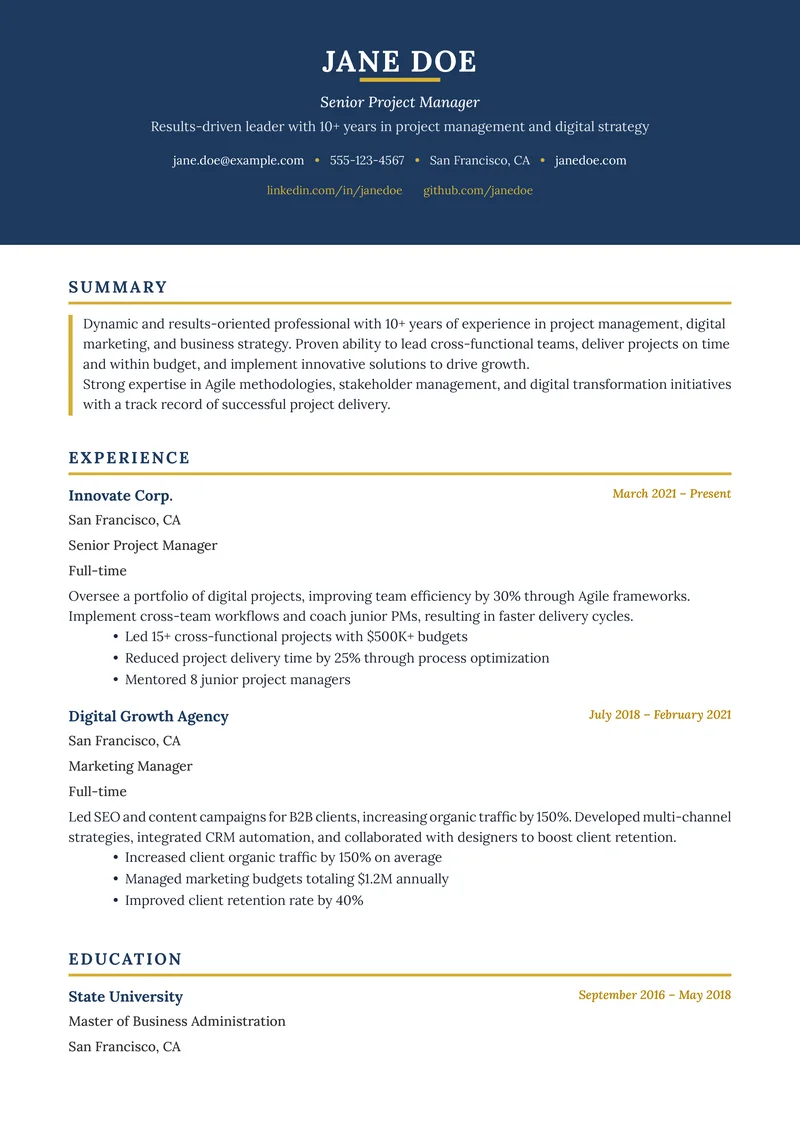
Build Your Perfect Resume
Create an ATS-optimized resume with our AI-powered builder.
No signup required.Start Building FreeExplore Resources
Enjoyed this article?
Share it with your network